
How to Build an Affiliate Link Inventory in 5 Steps
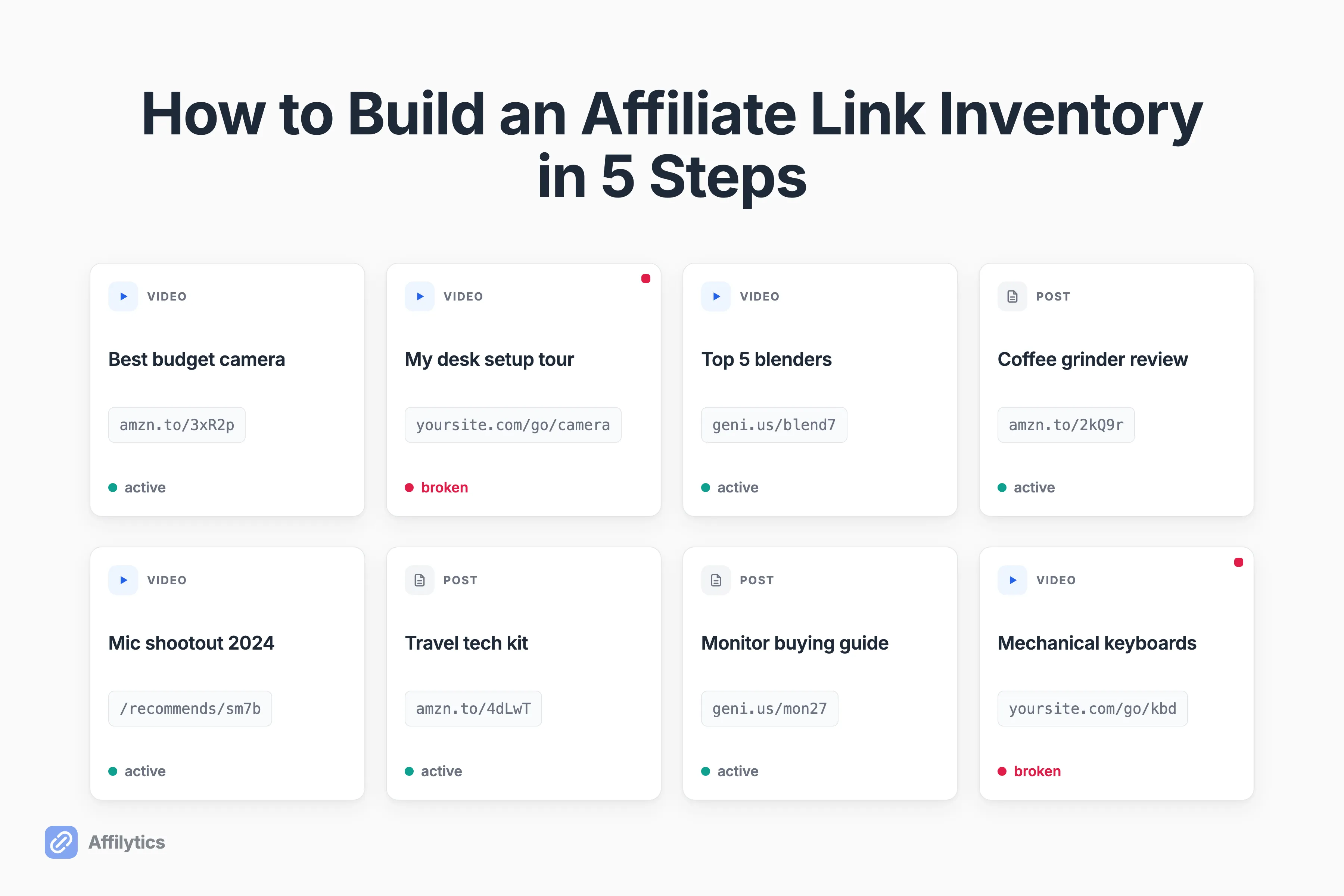
Quick test: can you name every affiliate link you have ever published? Most creators can’t, and that blank spot is exactly where an affiliate link inventory starts.
We built Affilytics to scan a creator’s whole YouTube channel and crawl their entire site, so we find every affiliate link you have published and we have seen exactly where these links hide and how quietly they rot.
Finding them is step zero. You can’t set up affiliate link monitoring on links you don’t know exist, so the inventory has to come first.
This guide separates inventory from tracking, shows where your links hide across your videos and posts, and walks through five steps to build a complete inventory, ending with the part a spreadsheet can’t do: mapping each link back to the exact video or page it lives on.
Affiliate Link Inventory vs Tracking vs Finding Programs
Section titled “Affiliate Link Inventory vs Tracking vs Finding Programs”Search for anything about affiliate links and you get three different jobs mashed into one pile. Let me pull them apart, because only one of them is what we are doing here.
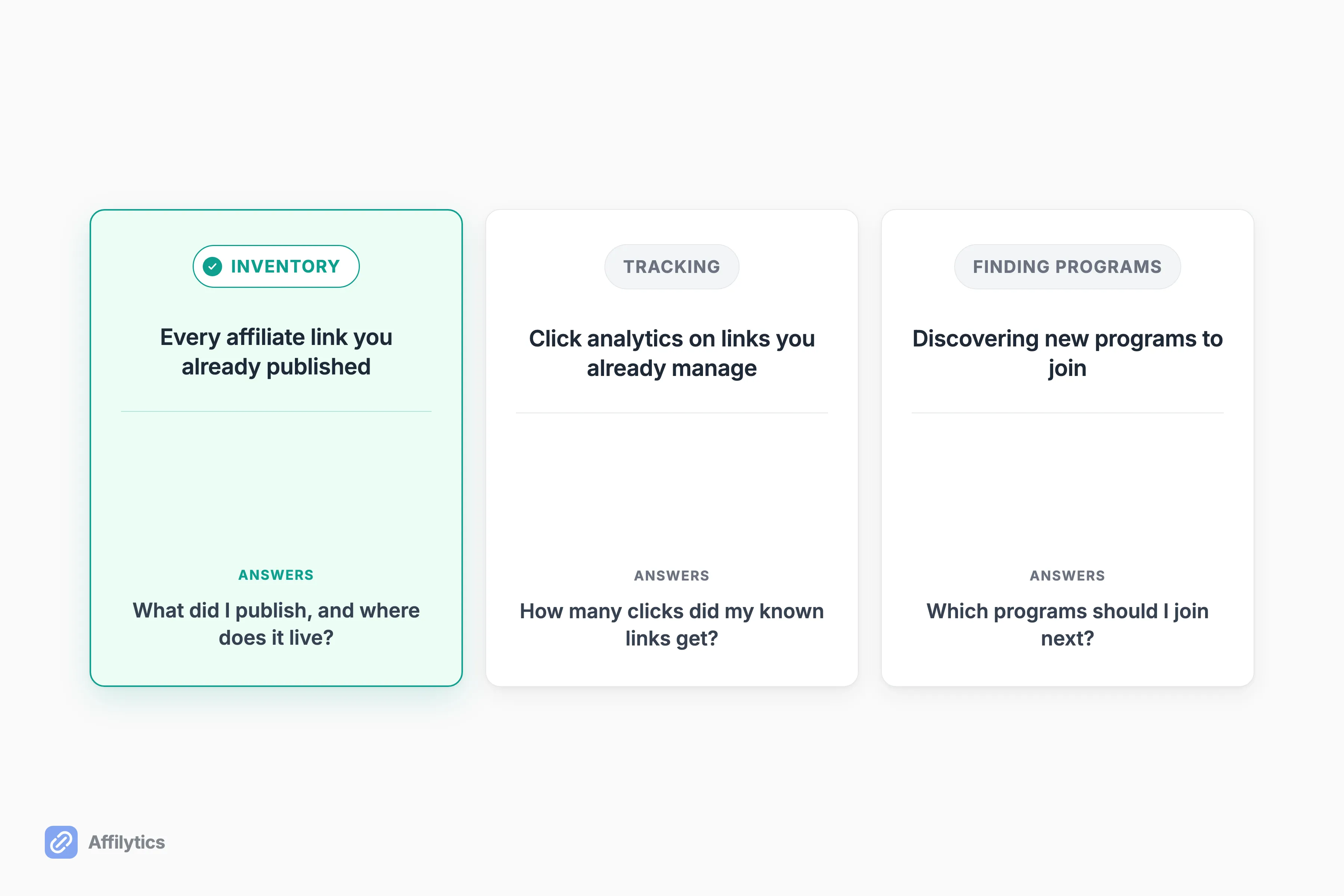
- Inventory is finding every affiliate link you have already published, including the ones you forgot about.
- Tracking is click analytics on the links you already manage, the job tracking is about click analytics tools like GA4 are built for.
- Finding programs is discovering new programs to join.
These get confused constantly. Most guides that promise to help you “manage your affiliate links” are really about tracking, and they quietly assume you already know what your links are. Even a tracking-tool guide will admit that sooner or later, managing multiple links by hand becomes almost impossible even for a small site. That admission is the whole point: they name the pain and then skip past the part where you find the links in the first place.
The genuine inventory job, the one where you go dig up what you shipped in 2023, has almost no competition. So let’s own it.
Why the Inventory Step Is the One You Can’t Skip
Section titled “Why the Inventory Step Is the One You Can’t Skip”You can’t monitor, fix, or replace a link you can’t find. That’s the entire reason inventory comes before everything else.
Here’s the trap. Your affiliate dashboard shows you clicks that converted. It never shows you clicks that hit a dead page. One publisher who ran a long audit put it bluntly: affiliate dashboards lie by omission, and the leak stays invisible until you actively scan for it. So a link can be silently bleeding clicks for months while your dashboard looks totally normal.
So how do you even know a link died? By default, you don’t. The revenue just quietly drops, and you blame the algorithm or a slow month.
It gets worse on your best content. The posts and videos that rank for years pull the most clicks and sit through the most merchant URL changes, so your highest-earning links are often the ones most likely to have quietly gone bad. The one place you least want a dead link is exactly where dead links pile up.
That’s why the inventory is not busywork. It is the map you need before you can do anything useful with the links: check them, prioritize them, or replace the dead ones. Skip it and you are guessing.
Step 1: Round Up Every Surface You’ve Published On
Section titled “Step 1: Round Up Every Surface You’ve Published On”Before you extract a single link, write down every place you have ever dropped one. Creators always forget at least two of these.
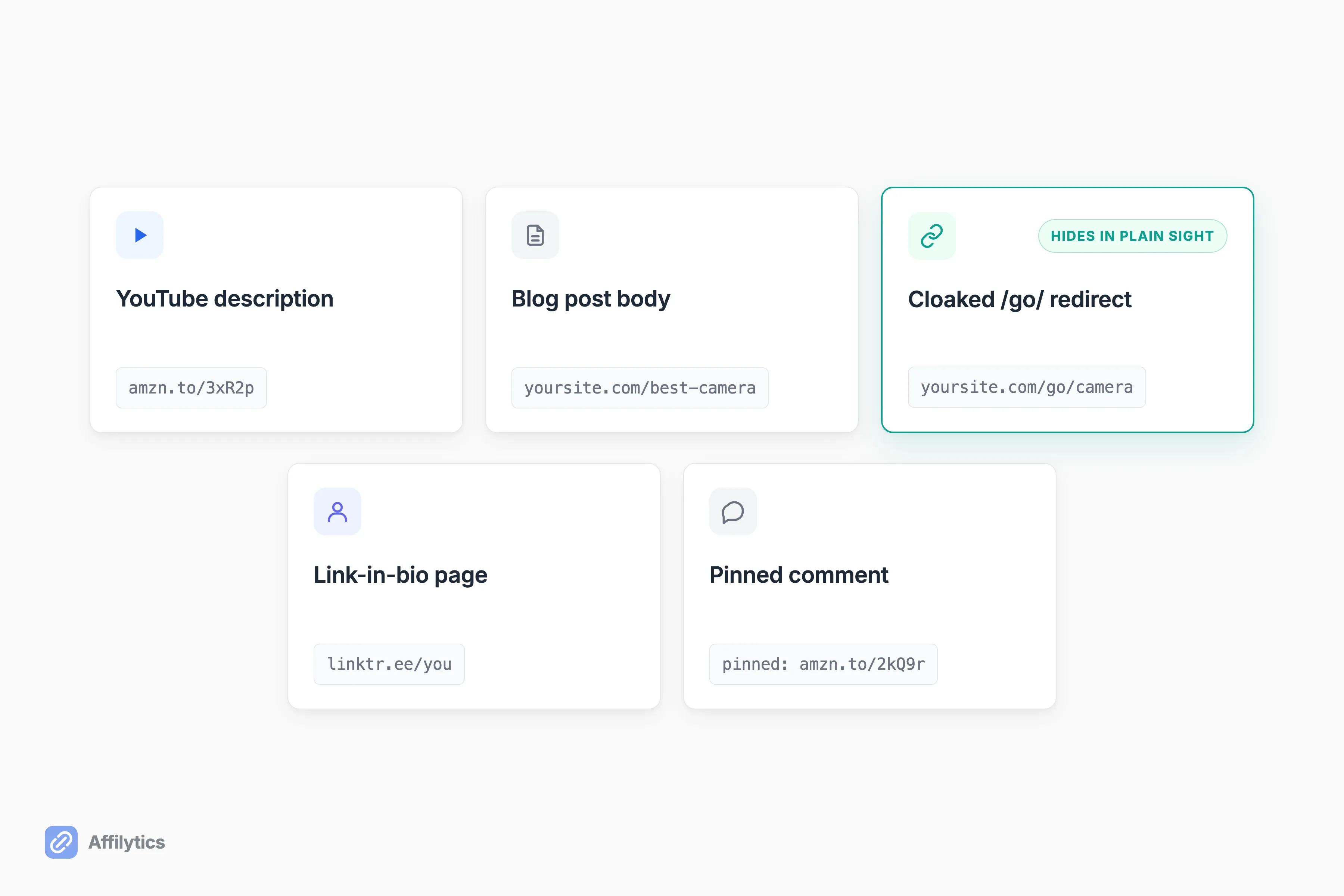
- YouTube video descriptions (the hardest surface, more on that next)
- Blog posts and old articles
- Your link-in-bio page
- Pinned comments and community posts
- Email newsletters
One more reason to be thorough here: the same link often shows up in many places. A single Amazon URL can sit in a dozen video descriptions and three blog posts, so “one dead link” is rarely one edit. Cataloging the surfaces now is what lets you find every copy later.
Now the part people get wrong: what actually counts as an affiliate link. A raw Amazon URL from SiteStripe is obvious. But a lot of your links don’t look like affiliate links at all. If you have ever used a cloaking plugin, your links probably hide behind tidy paths like /go/, /recommends/, /refer/, /out/, /link/, or /visit/ on your own domain. Those redirects are affiliate links wearing a disguise, and any inventory that ignores them is incomplete.
One more thing while you are cataloging: every one of these links is a spot where you’re required to disclose affiliate relationships. If a surface is missing its disclosure, the inventory is a good time to catch it, and we have affiliate disclosure examples for every placement you can copy as you work down the list.
Step 2: Pull the Links Out of Your YouTube Descriptions
Section titled “Step 2: Pull the Links Out of Your YouTube Descriptions”YouTube is the worst surface to inventory by hand, and it is worth understanding why. There is no plugin. You can’t install anything into a video description the way you can on WordPress.
So the manual way is exactly as slow as it sounds. Open a video, open its description, copy the outbound links, paste them into your sheet, repeat. For five videos, fine. For a three-year back-catalog of reviews and tutorials, you will quit around video forty.
This is where auto-discovery earns its keep. Point Affilytics at your channel and it reads every video description and extracts every affiliate link, no copy-paste. This is also the category gap worth naming: most link tools only manage links you created inside them. They cannot surface a link you pasted into a description three years ago, because they never saw you create it. Scanning the channel itself is the only way to recover those.
Once you have the list, editing is still on you. You can edit a video’s description any time, and when you find a dead link, that’s where you go to swap it. If you want to audit these links in bulk once you have gathered them, that’s the natural next move, and we cover it in check your YouTube affiliate links in bulk.
Step 3: Crawl Your Website and Blog for Every Link
Section titled “Step 3: Crawl Your Website and Blog for Every Link”Your site is friendlier than YouTube, but it still hides links. A five-year-old blog can hold hundreds of affiliate links across posts you barely remember writing.
The manual version is to open every published post and scan the body for outbound and cloaked links. Doable for a small blog, brutal past a large archive. The faster path is a crawl: walk your sitemap, hit every post, and extract both the plain affiliate URLs and the cloaked /go/-style redirects in one pass.
That’s what our crawler does. It reads your robots.txt and sitemap (with a fallback that follows internal links when a sitemap is thin), then pulls every affiliate link it finds, including those disguised redirect paths. One honest limit worth knowing: it reads static HTML, so a blog rendered entirely in JavaScript gets flagged rather than fully crawled. For the vast majority of WordPress and static sites, though, one crawl replaces a very long afternoon.
The cloaked redirects are the ones a manual scan misses most. A path like /go/ or /recommends/ reads like an ordinary internal link, so your eye slides right past it, but it is an affiliate link pointed at a merchant through your own domain. And the same destination often sits behind several of those tidy paths across different posts, so a crawl that catalogs all of them is the only reliable way to see how many copies of one link you are actually running.
If your back-catalog lives mostly on your site, start here. We go deeper on the site-only workflow in check every affiliate link on your website.
Step 4: Map Each Link to Where It Lives
Section titled “Step 4: Map Each Link to Where It Lives”Here’s the part a spreadsheet can’t do, and it is the single most useful thing in this whole guide.
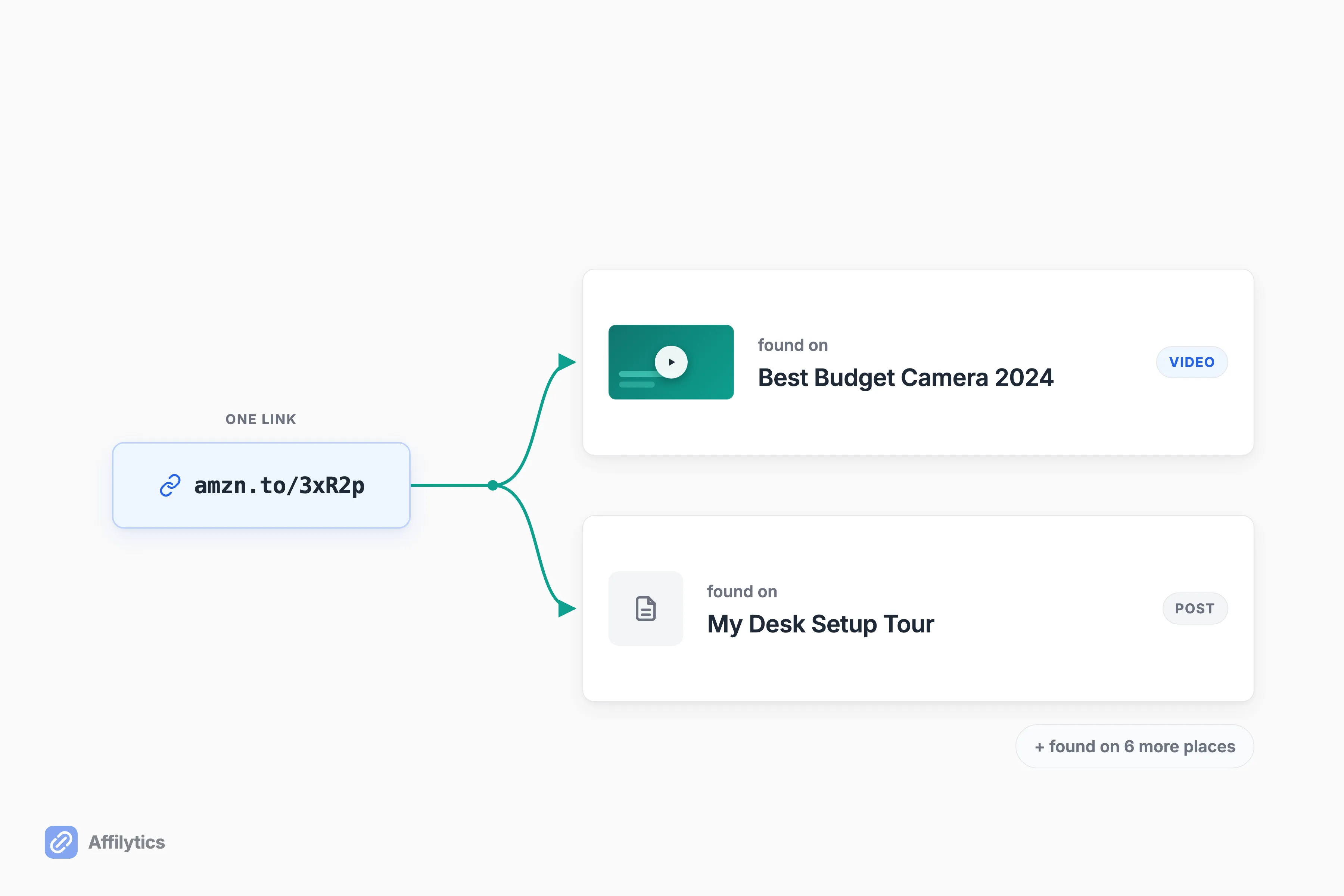
A flat list of links is only half an inventory. The moment one of them breaks, you hit the real wall. A creator in r/YouTubeCreators said it perfectly: even a good link overview sheet just gives you a list of broken links, and then finding the actual video that link sits in, and editing it there, is its own tedious job.
So the inventory has to answer a second question, not just “what links do I have,” but “where does each one live.” That mapping is what turns a dead-link list into a fix-list you can actually work through.
After a scan, Affilytics maps each link to its location and surfaces it as “found on {video title}” or “found on {page title}.” So when a link goes bad, you don’t go hunting. You already know it is in your camera-review video and your desk-setup post, and you go straight there to fix it. That’s the difference between knowing something is broken and knowing where to click.
And because one link can live in a dozen places at once, the map lists every occurrence, not just the first one it found. A single broken Amazon URL might surface as “found on” six different videos and two posts, so you fix the link everywhere it appears in one sitting instead of patching one copy and leaving the rest bleeding. A flat spreadsheet hands you the link and leaves the where-does-it-live detective work entirely to you.
Step 5: Check What’s Actually Alive (a 200 OK Isn’t “Working”)
Section titled “Step 5: Check What’s Actually Alive (a 200 OK Isn’t “Working”)”You have your links and you know where they live. Now for the status, and this is where most checkers fail you.
A dead affiliate link usually does not return a 404. The page loads fine, the server says 200 OK, and a basic checker reports green. Except the product got pulled and now serves a “we couldn’t find that page” notice, or the merchant bounced you to their homepage, or the tag got stripped somewhere in the redirect. A creator in r/juststart summed it up: a 200 status tells you nothing useful for affiliate links, because most dead ones soft-fail instead of hard-failing.
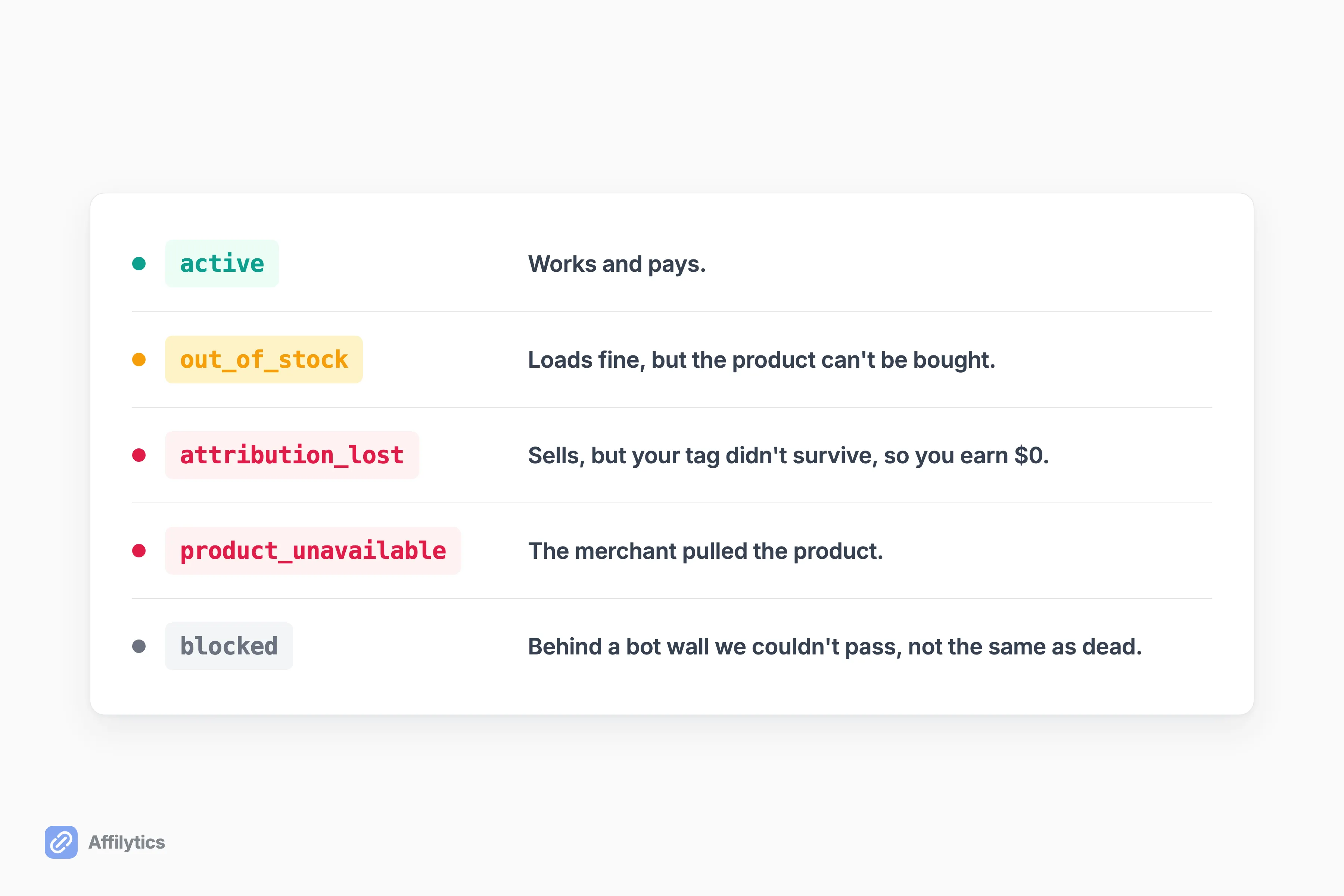
So checking the header is not enough. You have to check what the destination actually shows. Affilytics does that, then sorts each link into one of eight statuses instead of a blunt alive/dead flag:
- Active works and pays.
- Broken truly errors out.
- Out of stock loads but can’t be bought.
- Product unavailable was pulled by the merchant.
- Attribution lost loads and sells, but your tag didn’t survive, so you earn nothing.
- Blocked sits behind a bot wall we couldn’t get past (not the same as dead).
Attribution lost is the sneaky one, and it never shows as broken anywhere. Now, finding these is discovery’s job. Fixing them is still yours: you edit the video or post and swap in a working link, and if you want that replacement to route international clicks to the right regional store, you create a smart link and paste it in yourself. The scan finds and watches your links; it doesn’t rewrite your content for you. We go deep on the soft-failure problem in why a 200 OK can lie.
When to Stop Doing This by Hand
Section titled “When to Stop Doing This by Hand”A monthly spreadsheet review is a real system, and for a while it works. One blogger in r/Blogging described checking their site monthly across 70 to 80 posts and called it manageable, catching the cases where a product got discontinued or a commission rate quietly dropped to 1%.
The trouble is that the manual audit scales right up until it doesn’t. The OP in an r/juststart thread drew the line honestly: this whole exercise is really only worth automating once you are a few hundred posts deep and physically cannot remember what you linked back in 2023. Past that point the eyeballing takes longer than the catalog gives you, and you are just as likely to miss a dead link as catch one. Another creator went looking for a fix and came up empty, saying there had to be a solution, even a homebrewed one, but they never found it. Worse, breakage is silent and clustered: a merchant restructures its URLs and dozens of your links die on the same day, with no notice, on your highest-earning content.
That’s the switch-to-automated moment. Auto-discovery across your whole channel and site in one pass, plus continuous monitoring that re-checks links and flags a change when it happens, turns the affiliate link inventory from a one-off chore into something that maintains itself. For the blogger-specific version of that setup, see our affiliate link manager for bloggers. And if you ever plan to sell the site or the channel, the inventory stops being housekeeping and starts being money: audit those links before selling the site, because the buyer is going to click them either way.
Ready to see your whole back-catalog?
Section titled “Ready to see your whole back-catalog?”Point Affilytics at your channel or your site and get a complete, mapped, health-checked inventory in one pass, no more guessing at what you published in 2023. You get two full weeks with everything unlocked, no credit card. Create your free account and run your first scan.
Once you have built your inventory, the natural next step is standing affiliate link monitoring so the links you just found never rot silently again, and if the list turned up more than monitoring can fix on its own, pick the tool category that matches what you found.
What’s the difference between an affiliate link inventory and affiliate link tracking?
Section titled “What’s the difference between an affiliate link inventory and affiliate link tracking?”An inventory is the full list of every affiliate link you have already published, wherever it lives. Tracking is click analytics on the links you already manage. Inventory answers “what did I publish and where.” Tracking answers “how many clicks did the links I know about get.” They are different jobs, and most creators only ever do the second one.
How do I find the affiliate links in my old YouTube videos?
Section titled “How do I find the affiliate links in my old YouTube videos?”For a handful of videos, open each one, copy the description, and pull out the outbound links by hand. For a full back-catalog that approach breaks down fast, and YouTube has no plugin to help. Scanning the whole channel’s descriptions at once extracts every affiliate link with no manual paste.
Do dead affiliate links still cost me money if the page loads fine?
Section titled “Do dead affiliate links still cost me money if the page loads fine?”Yes. A page that returns a normal 200 OK can be out of stock, parked, bounced to a homepage, or stripped of your affiliate tag in a redirect. You keep sending traffic and earning nothing, and an ordinary link checker calls the link healthy the whole time.
How often should I re-inventory my affiliate links?
Section titled “How often should I re-inventory my affiliate links?”A monthly manual pass is fine when your catalog is small. Once you are past a large back-catalog, continuous monitoring beats a periodic audit, because breakage is silent and tends to hit in clusters when a merchant restructures its URLs.