
Linktree Affiliate Links: 3 Leaks and How to Fix Them
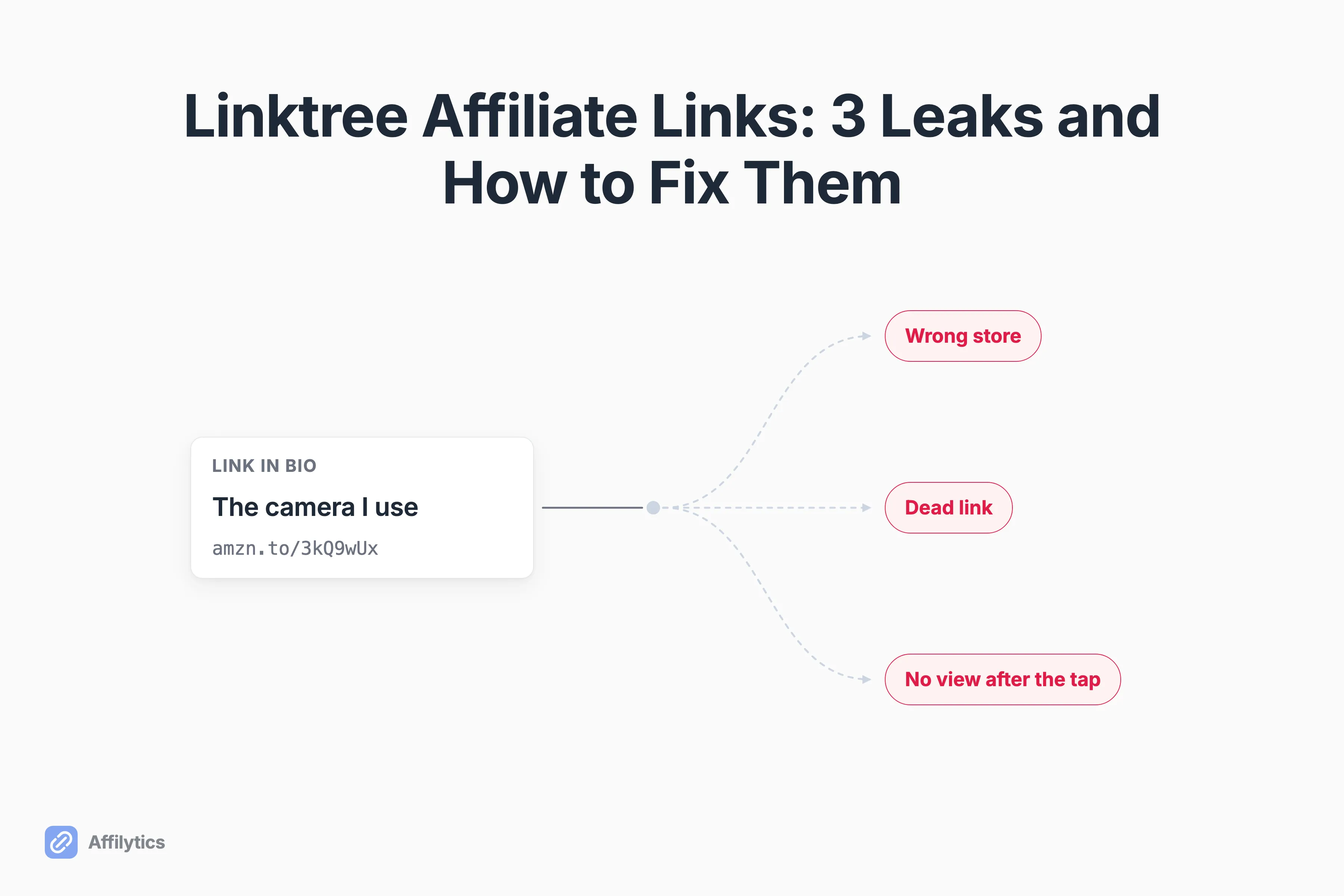
You added your Linktree affiliate links once, and since then that page has been quietly doing whatever it wants. Followers tap the buttons, something happens, and you find out how it went at the end of the month, if at all.
We build the routing and link-health layer that sits behind affiliate links, so we spend a lot of time on what happens after someone taps one.
We have written before about what survives on each social platform when you post a link, and a link-in-bio page is where all of those questions land on one screen at once.
This guide covers what Linktree handles for you, the three things it hands back, and what to put behind each button so they stop being your problem.
What a Linktree actually does with your affiliate links
Section titled “What a Linktree actually does with your affiliate links”Start with the fair part. Linktree does the thing it advertises: one page, a stack of buttons, and a Shop tab that takes whatever affiliate link you paste into it.
In their own words, you can add any link to any affiliate program as long as it does not breach their Community Standards. Your Linktree affiliate links are not locked to one merchant, one network, or one program. Three of the pages ranking for this topic already walk through the paste-a-URL steps, so I am not going to write a fourth.
There is exactly one geographic limit the platform names out loud. Linktree Shops is available only to creators based in the United States, and Shops is their own commerce program, a separate thing from the Shop tab that holds the affiliate links you brought yourself.
That limit is about who is allowed to sell. It is not about where your audience taps from. Where do your followers actually live? Nothing in the setup ever asks, and nothing in it asks what should happen if one of your destinations dies.
Everything below is the part that stays your job once the page is live.
Leak 1: every follower gets the same link, wherever they live
Section titled “Leak 1: every follower gets the same link, wherever they live”One button, one URL, one storefront. That is the whole mechanic, and it works fine right up until your audience stops being in a single country.
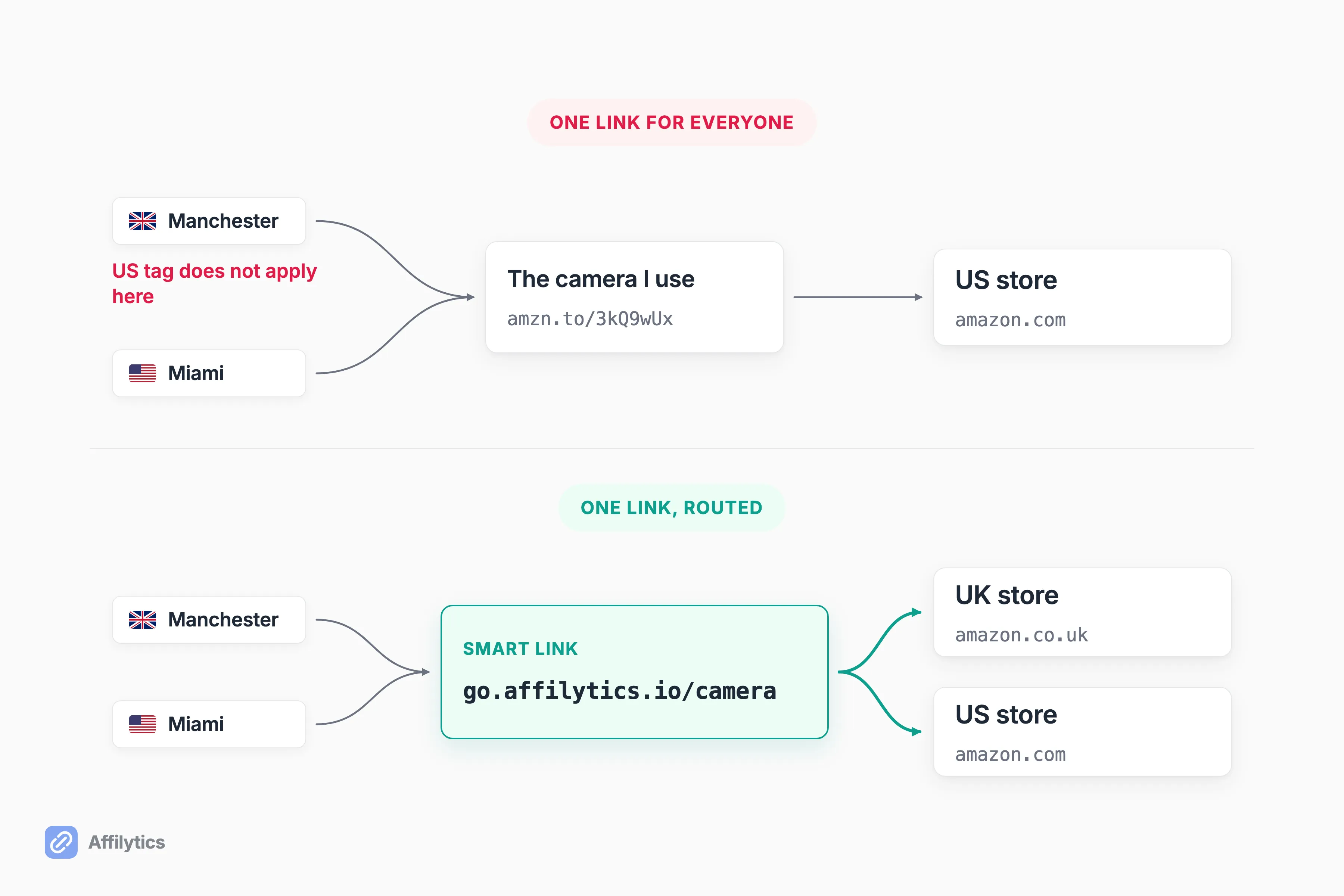
Say a follower in Manchester taps your button and lands on the US Amazon store. She can buy there if she wants to deal with the shipping estimate and the currency. If she does the normal human thing instead and searches the product on the store she already has an account with, that purchase happens on a storefront where your US tracking tag means nothing.
There is no failure state to notice here. How would you even know? You would not. The click registers, the page loads, the follower buys something, and the commission simply never appears in your account. Nobody sends an alert for a sale that went to nobody.
The fix has an ugly name and a simple idea behind it. Geo-routing means looking up which country a visitor is in from their IP address, then sending them to the store that actually pays you in that country. Our smart links do that: you create one link on go.affilytics.io, add a rule per country, and the first matching rule wins. Anyone who does not match a rule falls through to a default destination you must set, so there is no such thing as a visitor with nowhere to go. It works for any merchant, not only Amazon.
If you want the mechanics of what a foreign tracking tag does on a regional storefront, program by program, that is the whole subject of our guide to geo affiliate links.
Leak 2: nothing is watching those links after you post them
Section titled “Leak 2: nothing is watching those links after you post them”A dead affiliate link looks exactly like a live one from the outside. The button is still there, still styled, still tappable, still getting taps.
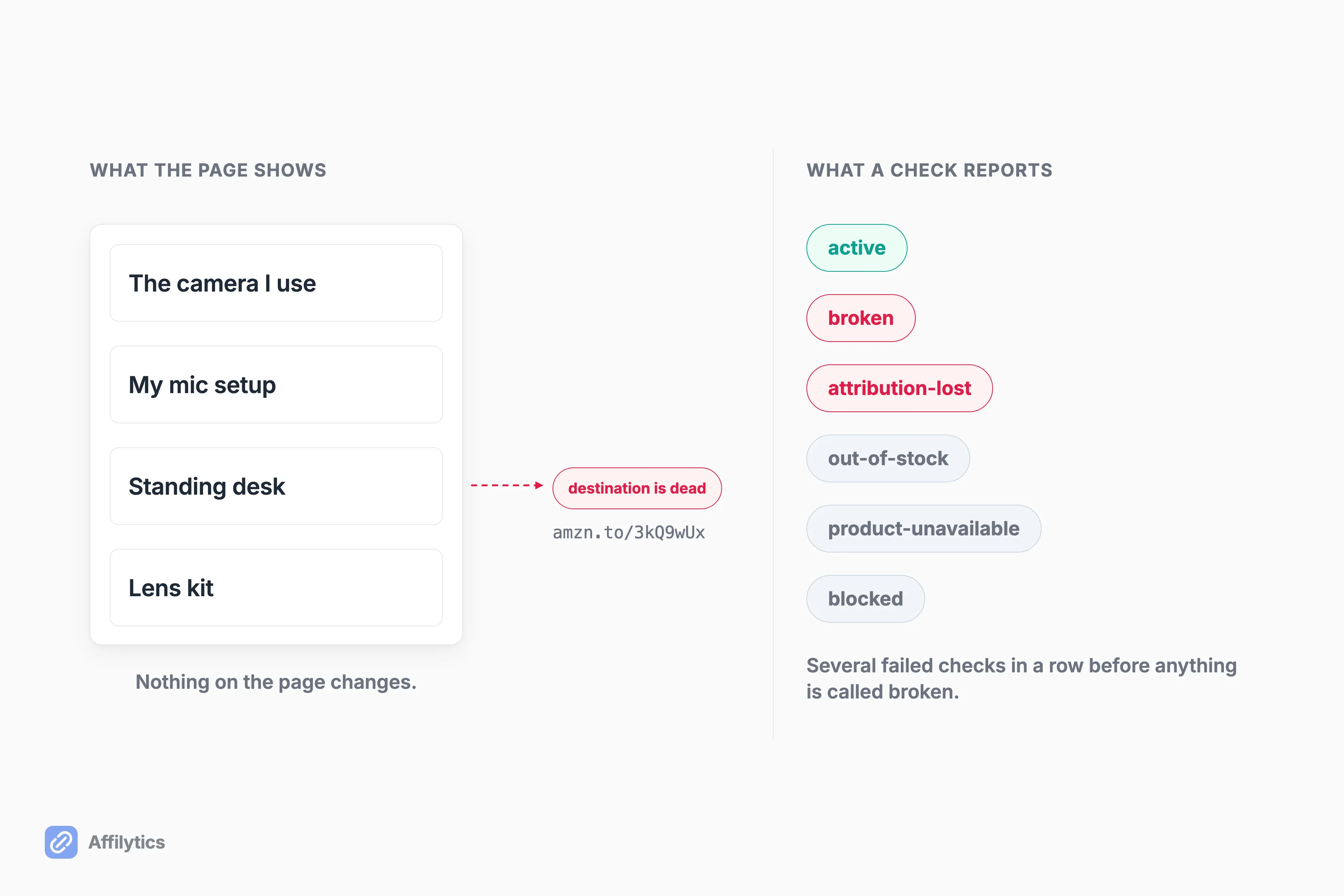
Underneath, any of these can happen without your page changing by a pixel:
- The product gets discontinued and the merchant parks the page.
- The merchant restructures its URLs and your old one dumps people on a category page.
- The affiliate program shuts down, or you get moved out of it.
- Stock runs out and the product page turns into a waitlist form.
Who tells you when one of those happens? Nobody does. This is the strangest hole in the published advice on this topic. I read the guides ranking for linktree affiliate links, including one with an entire best-practices section about keeping your page current, and not one of them explains how you would learn that a link needs updating. The guides present staying current as a good habit rather than as a task that requires information you do not have.
That information is the job affiliate link monitoring does, and it is the second leak we set out to close. Every destination gets checked continuously and comes back with a plain state: active, broken, attribution-lost, out-of-stock, product-unavailable, or blocked. Alerts fire when a check catches the change, not on a Sunday-night digest. And before anything gets called broken, it has to fail several checks in a row, which is the difference between a real alert and a merchant having a bad ten minutes.
Leak 3: the click leaves your page and you never see it again
Section titled “Leak 3: the click leaves your page and you never see it again”Between a tap and a checkout, a click passes through a few sets of hands. The app your follower was in. Your link-in-bio page. Then whatever redirects the merchant bolts on at the end.
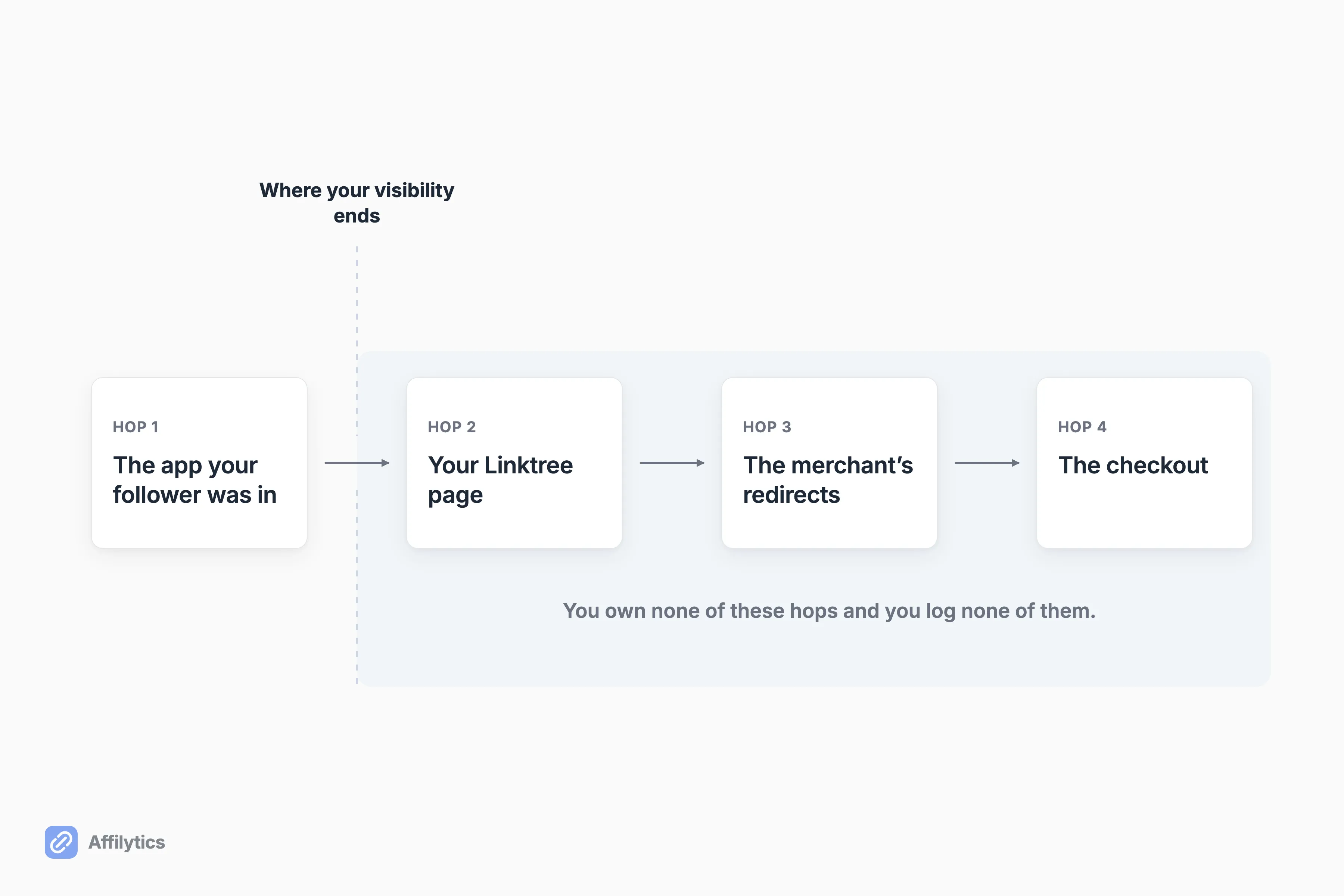
You own none of those hops and you log none of them:
- The app decides how to open an outbound link.
- Linktree decides what it forwards along.
- The merchant decides how many redirects sit between the click and the product page.
So what happens when something goes wrong in there? You have nothing to inspect. You have a button that got tapped and a commission that did not arrive, and no way to put those two facts next to each other.
Two true things sit near each other here, and I want to be careful not to weld them into a story. The first is contractual. The Amazon Associates Operating Agreement defines the property you may place links on as “your website, social media user-generated content, online software application, or Alexa skill”, and the same agreement states that you must promptly provide any information Amazon requests to verify your compliance.
The second is one person’s experience. On July 14, 2026, u/thatsadickmove666 posted in r/passive_income that their Associates application was rejected because Amazon could not determine their traffic source, and asked whether their link-in-bio page was the reason. That theory about their own rejection is theirs. I have not seen anything that establishes it, and I am not going to pretend the agreement language above explains it.
One more dated observation. On August 4, 2026, u/DeerBorn7689 posted in r/TikTokAds that TikTok had stopped opening bio links in its in-app browser, while the same links opened fine through TikTok Ads. One creator, one day, one account of it.
On X, Dylan (@serialsales) got tired enough of one specific version of this that he rebuilt the page himself: “linktree wouldn’t let me pass through UTM parameters so I made my own linktree”. UTM parameters are the little tags you staple onto the end of a URL so you can tell later where a click came from. When they do not survive the trip, the click arrives anonymous.
The fix: put one link you control behind each button
Section titled “The fix: put one link you control behind each button”One structural change addresses all three. Put a link you own between the bio button and the merchant. The button on your Linktree stops changing forever, and what sits behind it changes as often as you need.
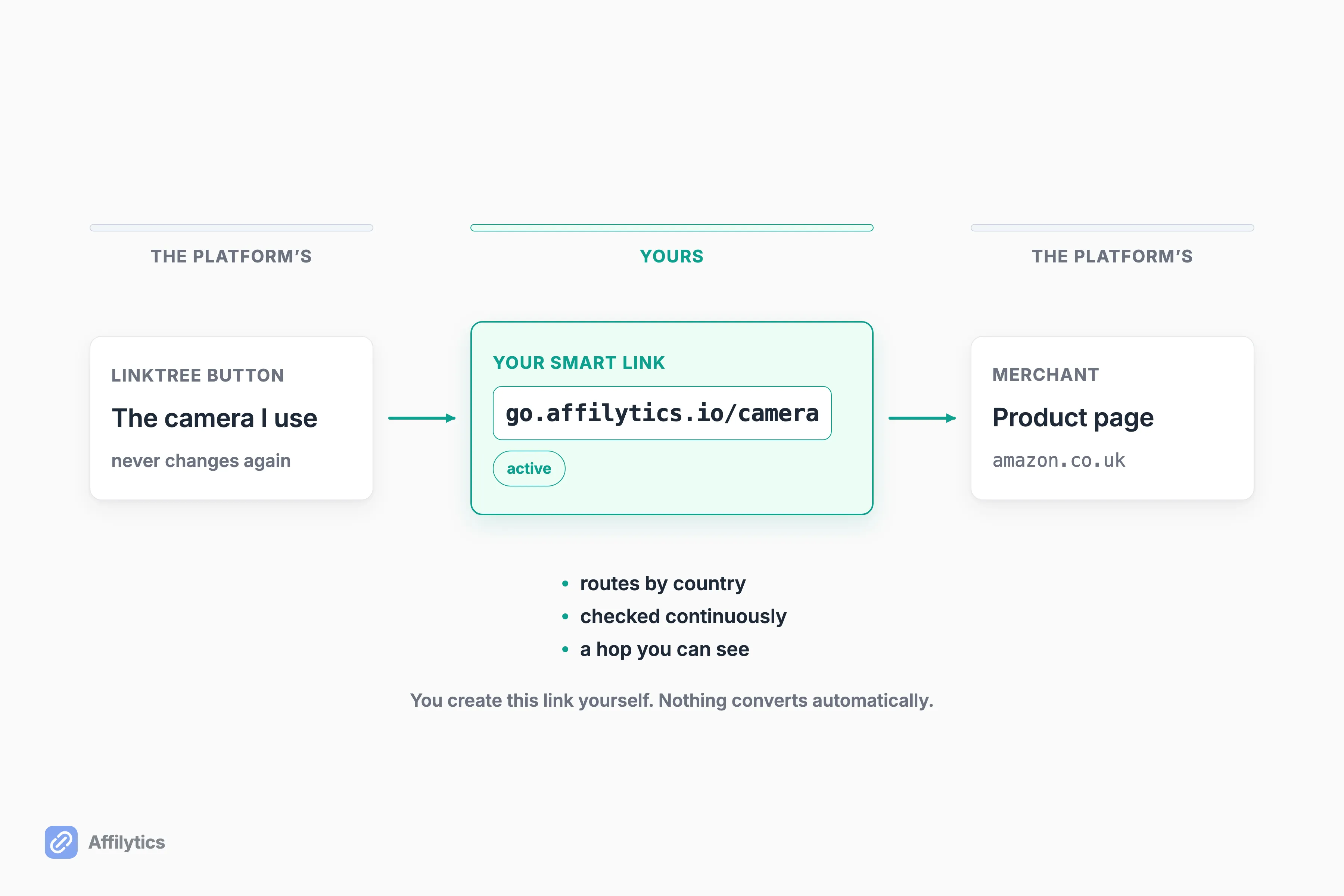
One short beat each:
- Routing by country closes Leak 1. One button, a different destination depending on where the tap came from.
- A destination that gets health-checked closes Leak 2. You hear about the dead one instead of finding it in a payout report three months later.
- A hop you own is a hop you can see, which is as much of Leak 3 as anybody can honestly promise you.
Is this a strange thing to want? Not remotely. People are already building it by hand. In r/AffiliateMarket, u/kevbrown044 recommends exactly this shape: “You can link directly, but a better idea is to link to your own page that asks for the user’s email address to reveal the offer and then forwards them to the affiliate site.” His motive is different from ours, he wants the email address, but the structure is identical: your page in the middle. Put that next to Dylan rebuilding his own link-in-bio page over tracking parameters, and you have two people on two platforms hand-building the same missing piece.
A smart link is that middle hop without the build. You make one, point it at a destination per country, then paste it into your Linktree in place of the raw affiliate URL, and every destination you gave it gets registered for health checks automatically. Creating it is a manual step you take, one link at a time. Nothing scans your page and converts anything for you. If you want the actual steps, here is how to create a smart link.
What this does not fix
Section titled “What this does not fix”Almost everything written about this is selling you a setup, and none of it lists what stays broken afterward. Here is that list.
- A smart link doesn’t resurrect a dead product. It tells you the destination broke. Swapping it for a live one is still your job, and still a judgment call only you can make.
- We do not scan link-in-bio pages. A hosted Linktree is not a source type we crawl today, so nobody discovers the links sitting on your page for you. You add them yourself.
- None of this changes how an app handles an outbound tap. That belongs to the platform, not to you, and claiming otherwise would be the exact overreach I refused earlier in this post.
- It does nothing for how the page looks either. In r/Affiliatemarketing, u/thoughtfulbear10 said a basic linktree can work but “often just looks like a pile of random links.” Fair, and no amount of routing behind the buttons changes that.
Where does that leave the decision, then? If you have a handful of links, every buyer of yours is in one country, and you check them by hand each month, you genuinely do not need any of this. We wrote the honest version of that test in whether you need a smart link tool at all.
Start with the buttons that already earn
Section titled “Start with the buttons that already earn”You do not have to rebuild the page. Pick the two or three buttons that already make you money, put a link you control behind those, and leave the rest alone until you feel like touching them.
Start your free trial and you get two full weeks with everything unlocked and no credit card, which is enough time to watch where your own taps are actually coming from.
Can you put affiliate links on Linktree?
Section titled “Can you put affiliate links on Linktree?”Yes. Linktree’s help center says the Shop tab accepts a link to any affiliate program as long as it does not breach their Community Standards, and that you are not limited to one program. The practical caveat is that being allowed to post a link is a different thing from being able to tell what that link did after somebody tapped it.
Does Linktree work for Amazon affiliate links outside the US?
Section titled “Does Linktree work for Amazon affiliate links outside the US?”Two things are worth separating here. The Shop tab takes affiliate links generally. Linktree Shops, their own commerce program, is available only to creators based in the United States, per their help center. Neither one sends a visitor to their own country’s Amazon store, so a follower in Berlin tapping your amazon.com link still lands on the US storefront.
Why would Amazon reject an account over traffic sources when the links are on a Linktree?
Section titled “Why would Amazon reject an account over traffic sources when the links are on a Linktree?”The verifiable part is the agreement. Amazon defines your Site broadly, covering your website and your social media user-generated content, and states that you must promptly provide any information it requests to verify your compliance. Past that, honestly: we have seen one creator report a rejection of this kind, and their theory about the cause was their own. One person’s account is not a mechanism, and we are not going to build an explanation on top of it.
Will a smart link fix a broken affiliate link?
Section titled “Will a smart link fix a broken affiliate link?”No. A smart link tells you that the destination behind it stopped working, and what kind of break it is: broken, out of stock, product page gone, tracking tag stripped. Choosing the replacement destination is still a person’s decision, because only you know which alternate product you actually want to recommend.