
Do Amazon Affiliate Links Expire? (No, But They Rot)
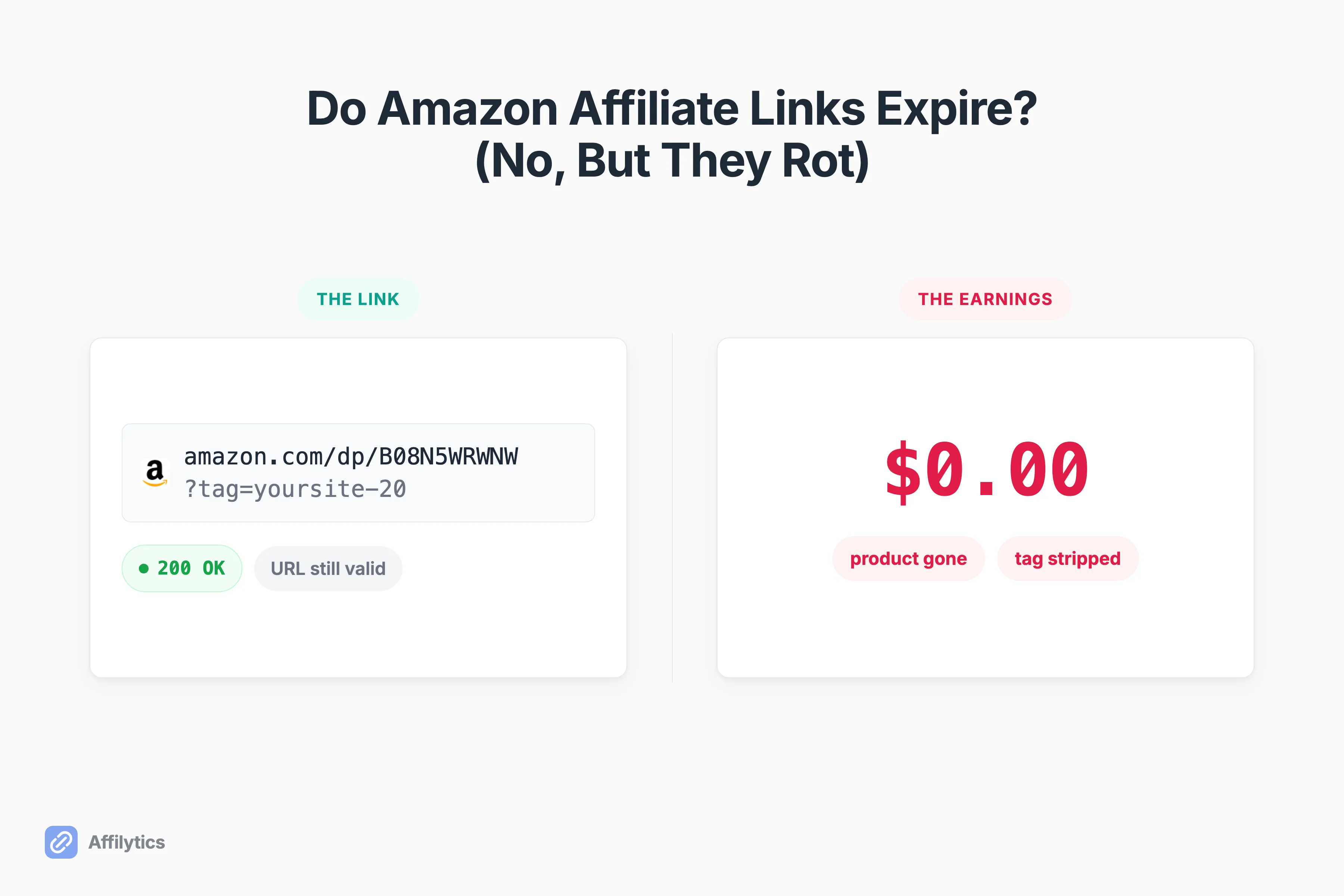
Creators keep googling whether Amazon affiliate links expire, and it’s the wrong question to lose sleep over. The more useful one is why a link that still works has quietly stopped earning. One creator on r/Amazon_Influencer put it bluntly: “I have hundreds of click throughs but not a single sale.”
We build the link-health monitoring layer at Affilytics, so we spend our days watching how affiliate links actually die, and “the link expired” is almost never the real cause.
If you want the deeper mechanics, we’ve written up how affiliate link monitoring works, but the short version is that most “dead” affiliate links are still perfectly clickable.
This guide gives you the one-line answer, untangles the three things people mean by “expire,” then walks the five ways an Amazon affiliate link silently stops earning and how to catch each one before it costs you.
The Short Answer: No, the URL Doesn’t Expire
Section titled “The Short Answer: No, the URL Doesn’t Expire”No. An Amazon affiliate link does not expire on a timer. Generate one, and that string stays valid for as long as your Associate account is active and the URL structure stays intact.
So why does it feel like they expire?
Because the two things that actually matter can both die while the URL keeps resolving: the destination it points to (the product, the page, the ASIN) and the credit you get when someone buys (the tag, the attribution). The link is the envelope. What’s inside can go rotten while the envelope still looks fine.
Three Different Things People Mean by “Expire”
Section titled “Three Different Things People Mean by “Expire””Half the confusion on this topic comes from three separate ideas wearing the same word. When someone asks whether Amazon affiliate links expire, they usually mean one of these without knowing which:
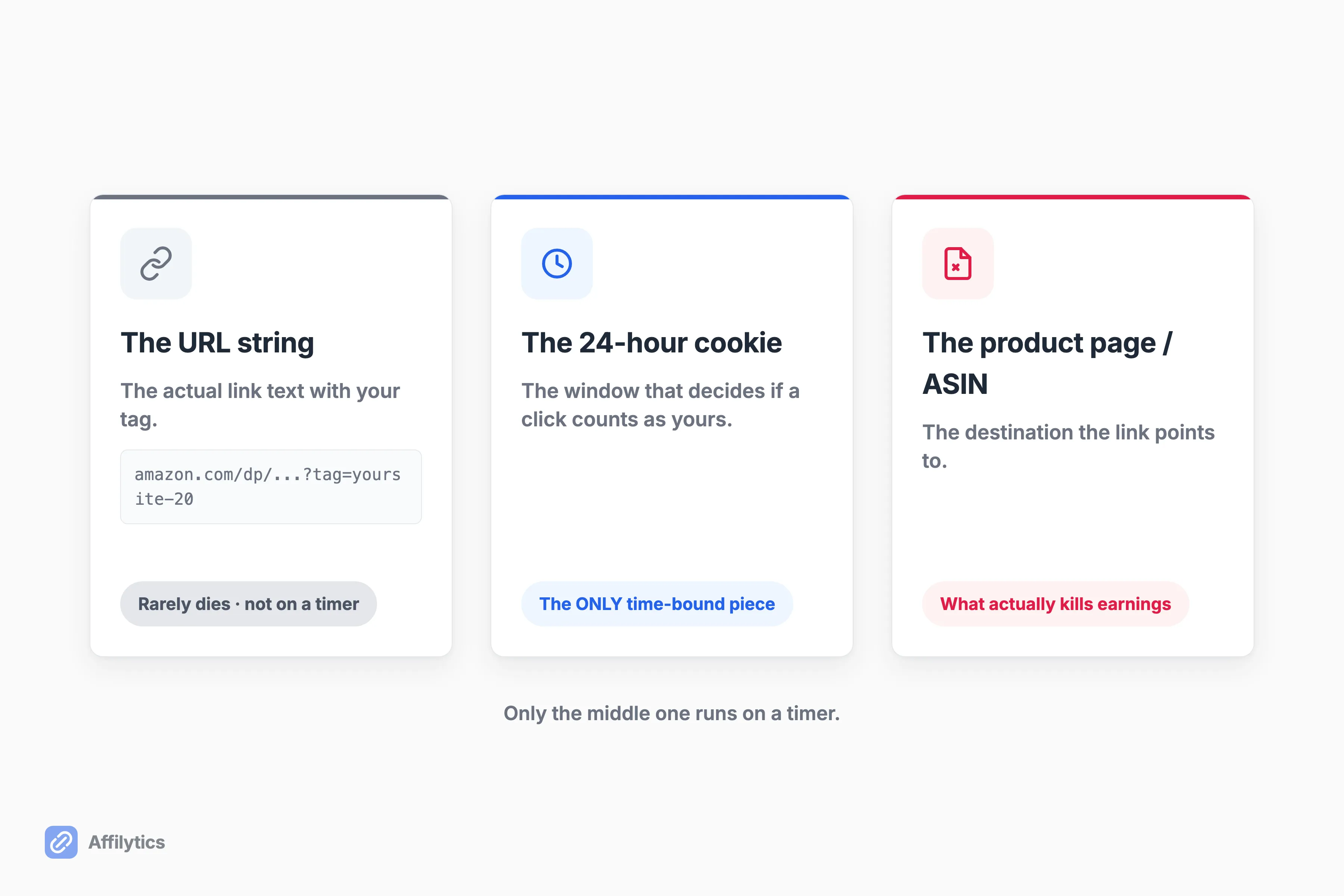
- The URL string. The actual link text with your tag on it. This rarely dies.
- The 24-hour attribution window. The clock that decides whether a click counts as yours. This is genuinely time-bound.
- The destination product page. The ASIN the link points to. This is what usually kills your earnings.
Only the middle one runs on a timer. One article ranking near the top of Google for this query flatly claims the link “remains active for 24 hours,” which welds the URL and the attribution window into a single wrong idea. The link doesn’t go dark after a day. Your window to earn a commission from a given click does.
What the 24-Hour Cookie Actually Does (and the 90-Day “Cart” Myth)
Section titled “What the 24-Hour Cookie Actually Does (and the 90-Day “Cart” Myth)”Here’s the one piece that really is time-bound. Per Amazon’s own 24-hour attribution window, you earn commission on qualifying items placed in a customer’s cart within 24 hours of arriving at Amazon through your link. That’s the whole clock. One day.
The “90 days” everyone repeats? That’s the shopping-cart expiry, not a cookie. If the buyer added your item to their cart inside the 24-hour window, you still earn the commission when the order is placed before that cart expires (usually after 90 days). No add-to-cart inside the first 24 hours, no 90-day anything. Two ordinary shopper actions can also shut that window well before the day is up, which is covered in how long the Amazon affiliate cookie lasts.
Two things also close the window early:
- The customer submits their order (the sale is booked, the clock stops).
- The customer re-enters Amazon through another Associate’s link, which resets attribution to them.
That last one matters more than most creators realize, and it’s the seed of the next section. A creator in r/LovedItOrSnubbedIt2 summed the rule up cleanly: “The last link you click AND check out with gets the commission.” The cart is neutral until checkout.
The 5 Ways an Amazon Affiliate Link Dies Anyway
Section titled “The 5 Ways an Amazon Affiliate Link Dies Anyway”None of these involve a clock. Each one leaves the URL fully clickable while the earnings slide to zero, and Amazon tells you nothing when it happens. Internally we file each of these under a status label, so I’ll name them as we go.
The Product Gets Discontinued or Pulled
Section titled “The Product Gets Discontinued or Pulled”The ASIN gets removed. The product page 404s, or redirects to a dead category shelf. The link resolves, the page loads something, and it sells exactly nothing of what you recommended. We call this broken or product unavailable, depending on what Amazon serves back. Your ten-month-old “best budget headphones” video is now pointing at a discontinued SKU, and the review still gets views every week.
The Product Goes Out of Stock
Section titled “The Product Goes Out of Stock”The page loads perfectly. The item just isn’t buyable right now. This is the soft failure: nothing looks wrong, but an out-of-stock product converts like a brick, and it gets worse heading into Q4 when demand spikes and inventory churns. We label this out of stock rather than broken, because it can heal on its own the moment Amazon restocks.
The Page or URL Gets Redesigned
Section titled “The Page or URL Gets Redesigned”Amazon or a third-party merchant restructures their URLs, and your old deep link redirects to a generic landing page that has lost the specific product context. The reader clicks expecting the exact thing you showed them and lands somewhere confusing instead. The link “works.” The trust it was carrying does not.
Your Attribution Gets Stripped in the Click-to-Purchase Gap
Section titled “Your Attribution Gets Stripped in the Click-to-Purchase Gap”This is the one behind “hundreds of clicks, zero sales.” The link fires, the buyer buys, and your tag never registers. We call this attribution lost, and it’s worth understanding how affiliate click attribution works because there are two common ways it happens.
The mobile one is subtle, and most explanations online get it backwards. A raw SiteStripe link opened inside a social app’s in-app browser lands the buyer in a webview where nobody’s logged into Amazon. As one creator explained it: “Using only the sitestripe link opens the browser within the app you’re using … they will then go search it in the app, but you lose it because they didn’t log into Amazon after clicking your link.” Deep links that open the logged-in Amazon app preserve the tag. The raw link is what leaks it.
The second way is last-click. Another affiliate’s link clicked after yours wins the sale at checkout, exactly the “reenters through another Associate’s link” rule from earlier.
The Buyer Is in the Wrong Country for Your Link
Section titled “The Buyer Is in the Wrong Country for Your Link”A plain amazon.com link shown to a reader in the UK or Germany sends them to a store they can’t easily buy from, or bounces them to their local Amazon while stripping your US tag on the way. A large share of most creators’ audiences is international, so this leaks at scale. This is where geo-routing your affiliate links earns its keep. Amazon OneLink is Amazon’s own tool for preserving your tag across the marketplaces it covers, but without something routing the click by country, an international reader is a coin flip.
Why You’re the Last to Know: A Dead Link Returns No Error
Section titled “Why You’re the Last to Know: A Dead Link Returns No Error”So how would you even find out?
Here’s the part that makes all of this so expensive. When a linked product dies, Amazon sends you nothing. No email, no dashboard flag, no warning.
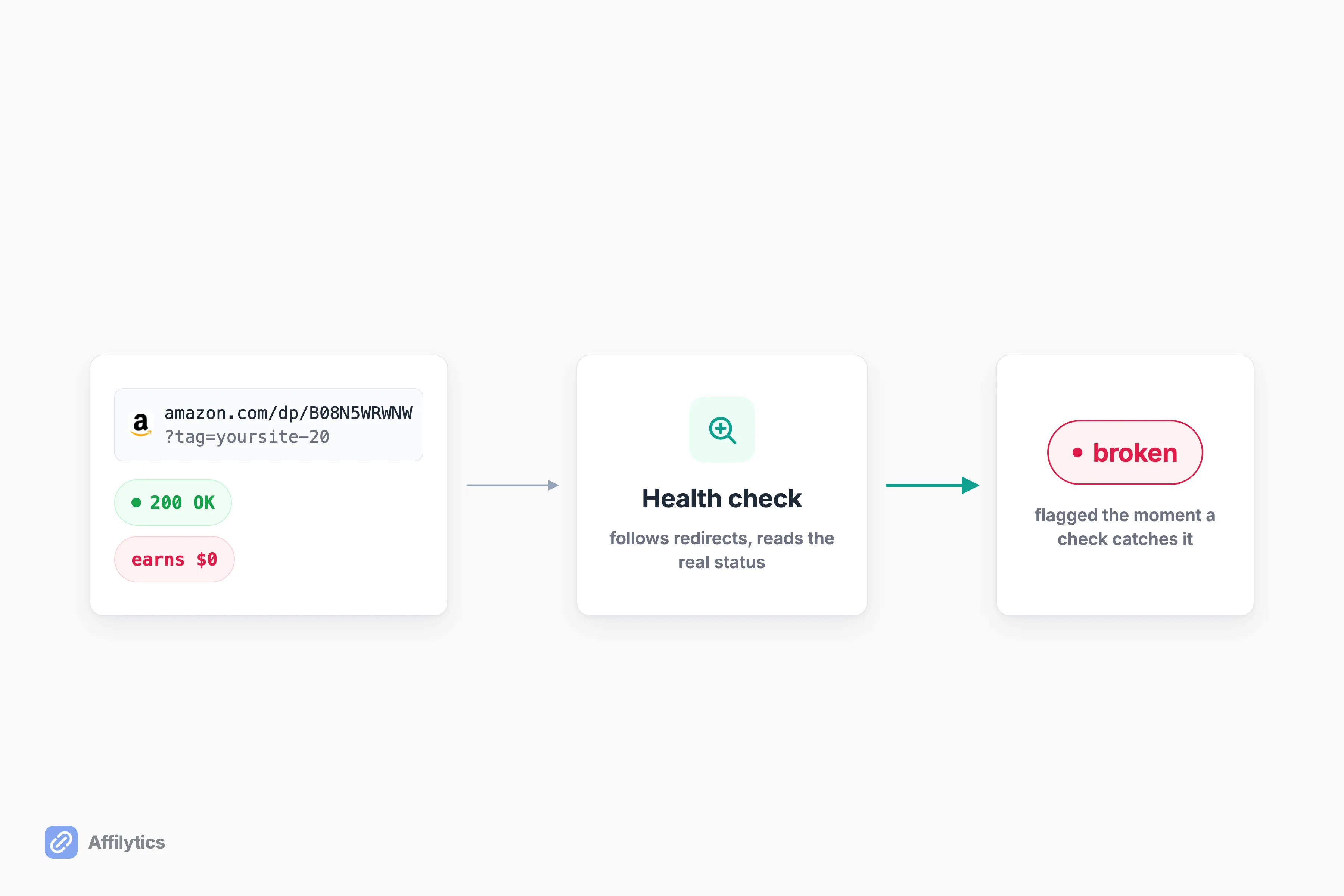
Worse, a broken affiliate link usually still returns a normal, healthy-looking response. To any casual check, the link is up. Nothing on the surface says the product is gone, the tag is stripped, or the page redirected. The only real signal is your own clicks-versus-sales math, which is exactly how the creators in those Reddit threads figured out something was wrong: they added it up and the numbers didn’t reconcile.
That’s the silent-failure gap. If nothing is actively checking your links, you find out weeks or months late, after the traffic and the commission have already walked. This is the whole reason continuous monitoring exists: a status change gets flagged the moment a check catches it, instead of waiting for you to notice. If you’ve hit this already, our guide on what to do when an Amazon affiliate link isn’t working walks the fixes, and letting rot pile up has the account-level version of this problem waiting at the end of it.
How to Catch Link Rot Before It Costs You
Section titled “How to Catch Link Rot Before It Costs You”You can’t fix a leak you can’t see, so the whole game is visibility. Three moves close the gap.
- Audit what you’ve already published. You can’t fix links you’ve forgotten you posted. Pull every affiliate link across your back catalog into one list first.
- Monitor continuously. A link’s status should flag itself when it changes, not sit idle until you happen to notice a revenue dip.
- Route by country. An international click should never land on the wrong regional store or lose your tag on the way.
This is the loop Affilytics is built to run. It scans your YouTube video descriptions and crawls your blog or site to find every affiliate link you’ve already published, monitors each one so a broken or attribution-lost status surfaces the moment a check catches it, and lets you swap in geo-routing smart links that send each click to the right regional retailer. One pass over your channel or site, and the links that died months ago stop hiding. If link rot has you rethinking how much of your income rides on one program, here are the programs worth running alongside Amazon. And if your instinct is to dodge rot by switching link formats instead, work out whether a storefront link is the answer to link rot before you rewrite anything.
Ready to Find the Links That Already Died?
Section titled “Ready to Find the Links That Already Died?”Start the two-week reverse trial. Everything’s unlocked, no credit card, and you point Affilytics at your channel or your site to surface the links in your back catalog that have already stopped earning.
Create your free account and see what’s been leaking while you weren’t looking.
Do Amazon affiliate links expire after a certain amount of time?
Section titled “Do Amazon affiliate links expire after a certain amount of time?”No, the URL itself doesn’t expire on a timer. Only the 24-hour attribution window is time-bound. A link stops earning when the product, the tag, or the page changes, not when a clock runs out, which is why an “expired” feeling link is usually a rotted destination rather than a dead URL.
How long does an Amazon affiliate cookie last?
Section titled “How long does an Amazon affiliate cookie last?”24 hours from the click. The widely repeated “90 days” is the shopping-cart expiry, and it only applies if the item was added to the cart within that 24-hour window. It is not a cookie duration, per Amazon’s own help doc. The window also closes early once the buyer checks out or re-enters Amazon through another affiliate’s link.
Why do my Amazon affiliate links get clicks but no sales?
Section titled “Why do my Amazon affiliate links get clicks but no sales?”Usually attribution loss, not expiry. An un-logged-in in-app browser, another affiliate’s later click winning last-click at checkout, or a regional mismatch can each strip your tag while the link still works perfectly. The click counts, the sale happens, and the commission just doesn’t route to you.
How do I know if an Amazon affiliate link is broken?
Section titled “How do I know if an Amazon affiliate link is broken?”You generally won’t be told. A dead affiliate link often still returns a normal 200 response, so nothing looks wrong from the outside. You either check every link by hand on a schedule, or use continuous monitoring that watches each link and flags the status change for you the moment it happens.