
Multi-Network Affiliate Link Tool: One Scan, Every Network
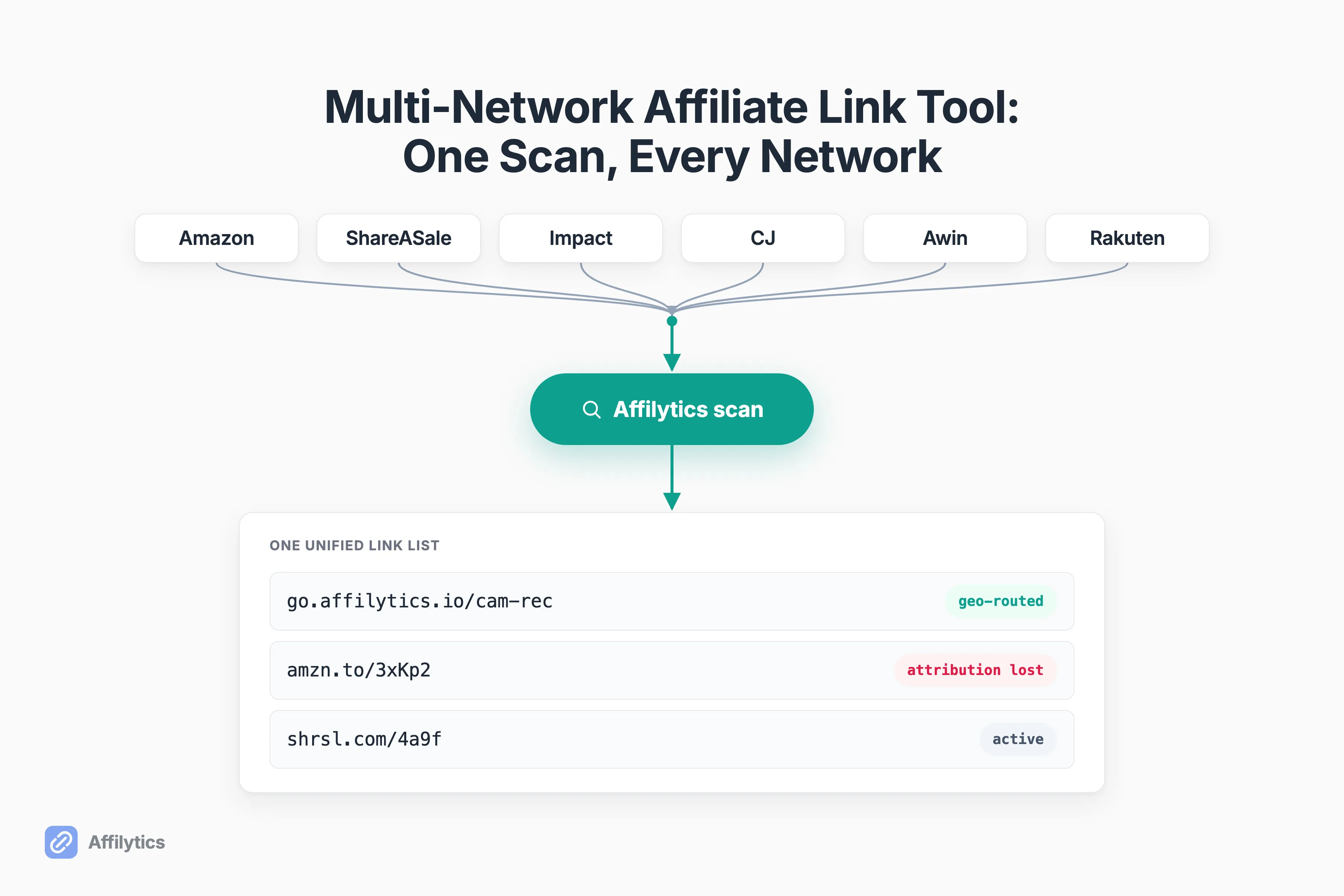
If you run affiliate links across more than Amazon, you already know the drill. A login for ShareASale. Another for Impact. Another for CJ and Awin. And no single place that shows you every link you have out there. That gap is exactly what a multi-network affiliate link tool is supposed to close, yet most tools that claim the label only ever see one network.
We build Affilytics for this exact creator. It scans your channel, finds the affiliate links you have already published across the major networks, and watches each one for breakage, so we look at the scattered-links problem from the inside.
Plenty of tools exist, and some are genuinely good. The smart-link tools built to replace Geniuslink handle country routing well, for instance. But almost none of them start by finding the links you already shipped.
This guide defines what multi-network actually means for a creator (and what it does not), shows why most affiliate link tools only ever see one network, and walks through what a tool has to do to find, monitor, and route every link you have already published.
The Real Multi-Network Problem: a Login for Every Program
Section titled “The Real Multi-Network Problem: a Login for Every Program”Here is how it usually goes. You start with Amazon Associates, because everyone does. Then a brand you cover only runs through ShareASale, so you sign up there. Then a tool you recommend pays through Impact. Then CJ. Then Awin. Each one its own dashboard, its own login, its own reporting delay.
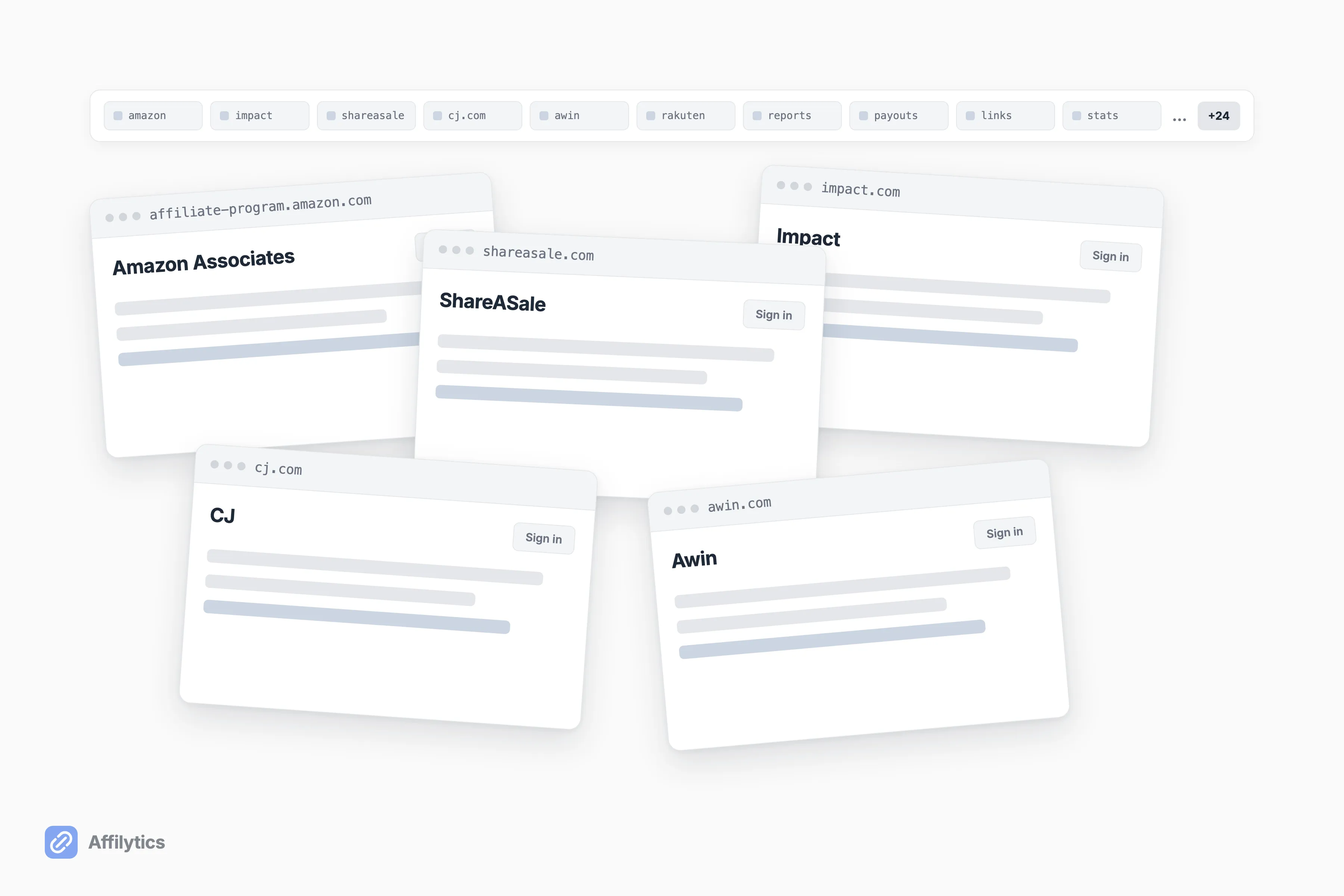
One creator put it plainly on Reddit: “if you start getting into affiliate marketing you can quickly find yourself having to join multiple programs with different logins to get all your links” (u/mbd7891, r/Affiliatemarketing).
So where do all those links actually live? Scattered across your videos, descriptions, and posts, with no single source of truth. The stack a working creator juggles usually looks something like this:
- Amazon Associates
- ShareASale
- Impact (Walmart runs its program on Impact, alongside plenty of smaller brands)
- CJ (Commission Junction)
- Awin
And that is the modest version. Another affiliate described keeping “a monitor dedicated to 30+ Tabs representing all the different Networks” (u/HelpfulAffiliate), while a third just asked the room about “the pain of juggling 4-5 dashboards” (u/Key_Fold_8382). Before you decide whether you even need a dedicated tool for this, it helps to be honest about how fast that sprawl grows.
What “Multi-Network” Actually Means (and What It Doesn’t)
Section titled “What “Multi-Network” Actually Means (and What It Doesn’t)”“Multi-network” gets stretched to cover three different things, and they are not the same. Sorting them out matters, because a tool built for one will quietly fail you on the others.
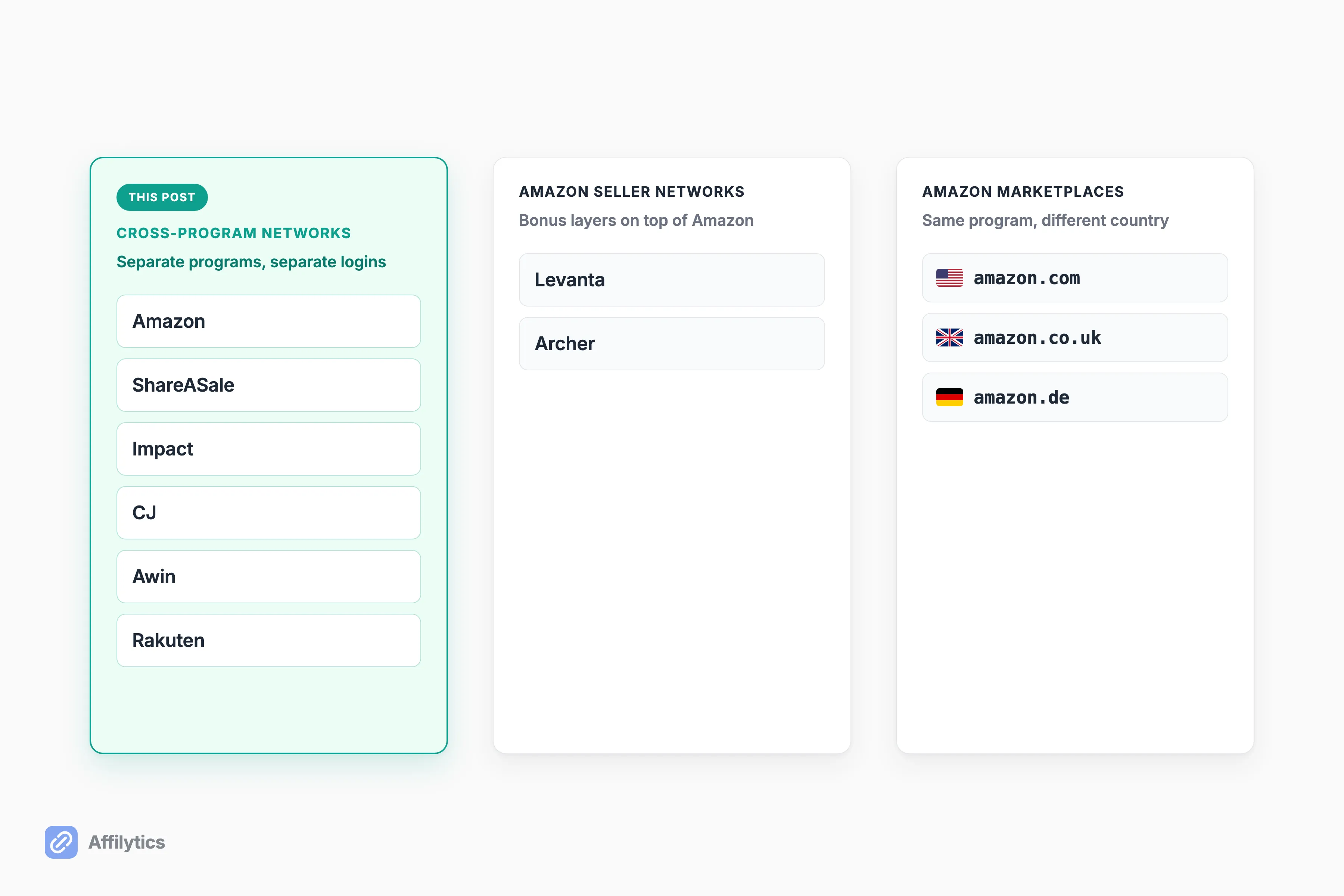
Here are the three senses people mean:
- Cross-program networks. Amazon, ShareASale, Impact, CJ, Awin, Rakuten, PartnerStack. Separate programs run by different companies, each with its own tracking. This is the one most creators mean.
- Amazon seller networks. Bonus-commission layers that sit on top of Amazon, like Levanta or Archer Affiliates. Some smart-link tools mean this when they say “multi-network.”
- Amazon marketplaces. amazon.com versus amazon.co.uk versus amazon.de. Same program, different country.
This post is about the first one. When a creator says they run multiple networks, they almost always mean cross-program: real, separate affiliate programs with their own logins and their own payouts. A tool that only handles the second or third sense cannot help with the links you have spread across ShareASale, Impact, CJ, and Awin. It is solving a smaller problem and using the same word for it. If you are still deciding which programs are worth ending up on in the first place, these Amazon affiliate program alternatives cover what each merchant actually publishes about its terms.
Why Most Affiliate Link Tools Only See One Network
Section titled “Why Most Affiliate Link Tools Only See One Network”So why do you keep hitting walls? Because most tools in this space take one of three shapes, and all three leave the multi-network creator stranded.
The first is Amazon’s own tooling. Amazon OneLink is Amazon’s geo-redirection tool for international shoppers, and it does that job well. But it is Amazon-only by design, with no support for non-Amazon destinations like Walmart, Target, eBay, or Shopify. The moment your links point anywhere but Amazon, it cannot follow.
The second is the smart-link shortener. These manage the links you manually paste into them, and many route by country nicely. The catch is simple: they only know about links you remember to add. The ShareASale link buried in a video description from eight months ago never makes it into the tool.
The third is the data-aggregation dashboard. These log into your networks and pull your commission reports into one view, which genuinely helps if reporting is your bottleneck. But that is a different job. They report earnings. They do not find the links inside your content, and they do not route a click to the right country.
What a Real Multi-Network Affiliate Link Tool Has to Do
Section titled “What a Real Multi-Network Affiliate Link Tool Has to Do”Strip away the category labels and a multi-network affiliate link tool has exactly three jobs. Get all three right and the dashboard sprawl stops mattering. If you are still working out which category of affiliate link management tool you actually need, that breakdown comes first.
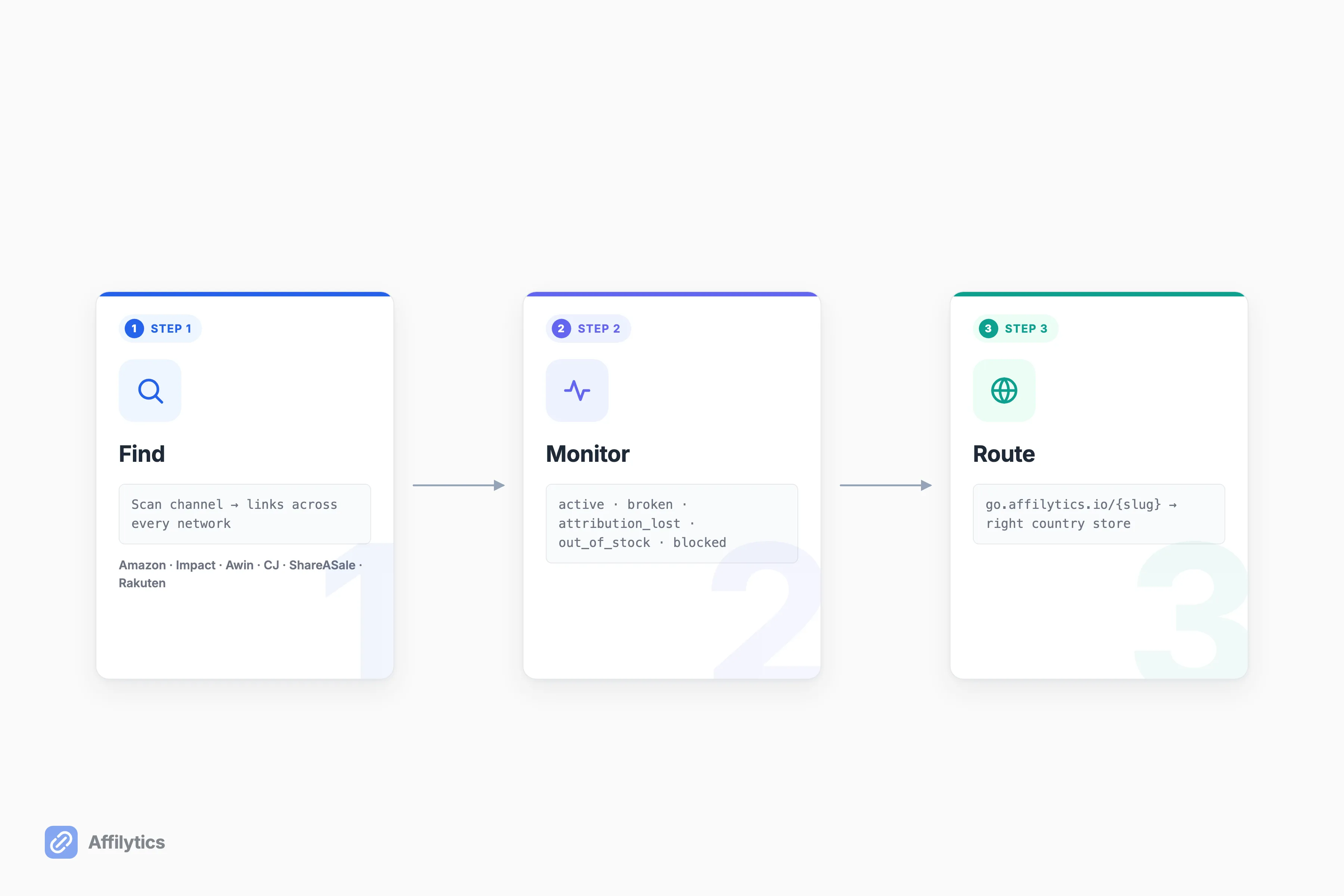
- Find every affiliate link you already published, across every network, without pasting them in one at a time.
- Monitor each one for breakage and attribution loss, no matter which network it points to.
- Route each click to the right country so international traffic still earns, on every network, not just Amazon.
Monitoring is where most tools get lazy. A link is not simply up or down. It can be broken, sure, but it can also be live yet attribution-lost (the tag silently stripped), out-of-stock, product-unavailable, or blocked. Affilytics tracks each discovered link across eight health states for exactly this reason: a 200 OK response does not mean you are still getting paid. That is link-health monitoring across every network, not a simple up-or-down ping.
Routing is the income half. If you route each click to the right country, a reader in Germany lands on the store that actually pays you there instead of bouncing off a US-only page. That only works if the tool understands what actually counts as a tracked affiliate click across networks, not just inside Amazon.
The market knows this gap exists. As one affiliate put it after listing every tool he had tried: “I haven’t found one that integrates all of those things into 1 platform yet” (u/HelpfulAffiliate).
How Affilytics Finds and Routes Links Across Networks
Section titled “How Affilytics Finds and Routes Links Across Networks”Here is how we built Affilytics to handle all three jobs.
Point it at your YouTube channel and it reads through every video description to find the links buried in your video descriptions, in a single scan. Point it at a blog or website instead and it crawls your pages, sitemap first, to find the affiliate links you already published there. Either pass recognizes Amazon, Impact, PartnerStack, Awin, CJ, ShareASale, and Rakuten automatically, with no fixed list for you to configure. The blog crawl reads static HTML, so a fully JavaScript-rendered site may not scan, and your smart links already work on any platform regardless.
From there, every link it finds goes under continuous health monitoring, whatever network it belongs to. When a check sees a link break or lose its tag, the alert fires then, not next week.
Then there is routing. Each link can become a geo-routed smart link (go.affilytics.io/{slug}) that sends a visitor to the right country’s store based on where they actually are. There is no marketplace lock-in, so a ShareASale or Impact link earns internationally the same way an Amazon link does.
None of this is a thin wrapper over someone else’s API. The health checking and country routing run on production Rust we wrote ourselves, from a team that came out of Apple, HubSpot, and Circle.
One thing Affilytics deliberately does not do: it does not log into your networks and pool your commission reports into a single earnings figure. That is a different category of tool. We find your links, watch them, and route them. We do not tally your payouts.
Multi-Network Tool vs Amazon OneLink: the Honest Comparison
Section titled “Multi-Network Tool vs Amazon OneLink: the Honest Comparison”OneLink deserves a fair hearing, because it is the cleanest example of the one-network trap. It is Amazon’s free, official tool, included with Associates, and it is genuinely good at its actual job: geo-redirecting a shopper to their local Amazon storefront across 12 Amazon marketplaces.
But that is multi-marketplace, not multi-network. OneLink cannot touch a ShareASale, Impact, CJ, or Awin link, it has no broken-link or out-of-stock detection, and it offers no analytics beyond Associates Central.
| Capability | Amazon OneLink | Multi-network tool |
|---|---|---|
| Networks beyond Amazon | No, Amazon only | Yes, across the major networks |
| Finds links you already published | No, manual setup | Yes, scans your channel |
| Broken-link + attribution monitoring | No | Yes, continuous |
| Geo-routing with no marketplace lock-in | Amazon marketplaces only | Any network, any country |
So who is OneLink actually for? A creator who is genuinely, permanently Amazon-only. If that is you, it is free and it works. The moment you add a second network, it cannot follow, and you are back to weighing alternatives to Amazon OneLink that can handle the rest of your footprint.
See Every Network in One Place
Section titled “See Every Network in One Place”If your links live on more than Amazon, the fastest way to see the whole picture is to point Affilytics at your channel and watch every one of them show up in a single list, flagged and ready to route.
Start your free trial: two full weeks of everything unlocked, no credit card. If you ever stop, your smart links keep working on their default routing. Nothing breaks.
What’s the difference between a multi-network affiliate link tool and Amazon OneLink?
Section titled “What’s the difference between a multi-network affiliate link tool and Amazon OneLink?”Amazon OneLink is Amazon-only. It geo-redirects shoppers across Amazon’s own marketplaces like amazon.com and amazon.co.uk, but it cannot touch a link from ShareASale, Impact, CJ, or Awin. A multi-network affiliate link tool handles links across Amazon and those other networks together: finding, monitoring, and routing each one.
Does a multi-network tool show all my commissions in one dashboard?
Section titled “Does a multi-network tool show all my commissions in one dashboard?”Not necessarily, and Affilytics specifically does not. Pulling your commission reports from every network into one earnings view is commission-data aggregation, which is a separate category of tool. Affilytics finds the links you have published, monitors them for breakage, and geo-routes them for income. It is not a unified-earnings report.
Can it find affiliate links I already published, or only ones I create in the tool?
Section titled “Can it find affiliate links I already published, or only ones I create in the tool?”It scans both. Point it at a YouTube channel and it reads every video description; point it at a blog or website and it crawls your pages, sitemap first. Either way it finds the links you already published, not just links you create inside the tool. That discovery step is the part most tools skip.
Which affiliate networks does it support?
Section titled “Which affiliate networks does it support?”The major networks: Amazon, ShareASale, Impact, CJ, Awin, Rakuten, PartnerStack, and more, detected automatically in a single scan. There is no fixed number to configure. The classifier recognizes the network from the link itself.
What happens to my links if I stop paying?
Section titled “What happens to my links if I stop paying?”Your smart links keep working on their default-URL routing, so nothing breaks. The country-level geo-routing simply pauses. The trial is 14 days of full access with no credit card.