
Amazon OneLink Not Working: 7 Failure Modes and Fixes
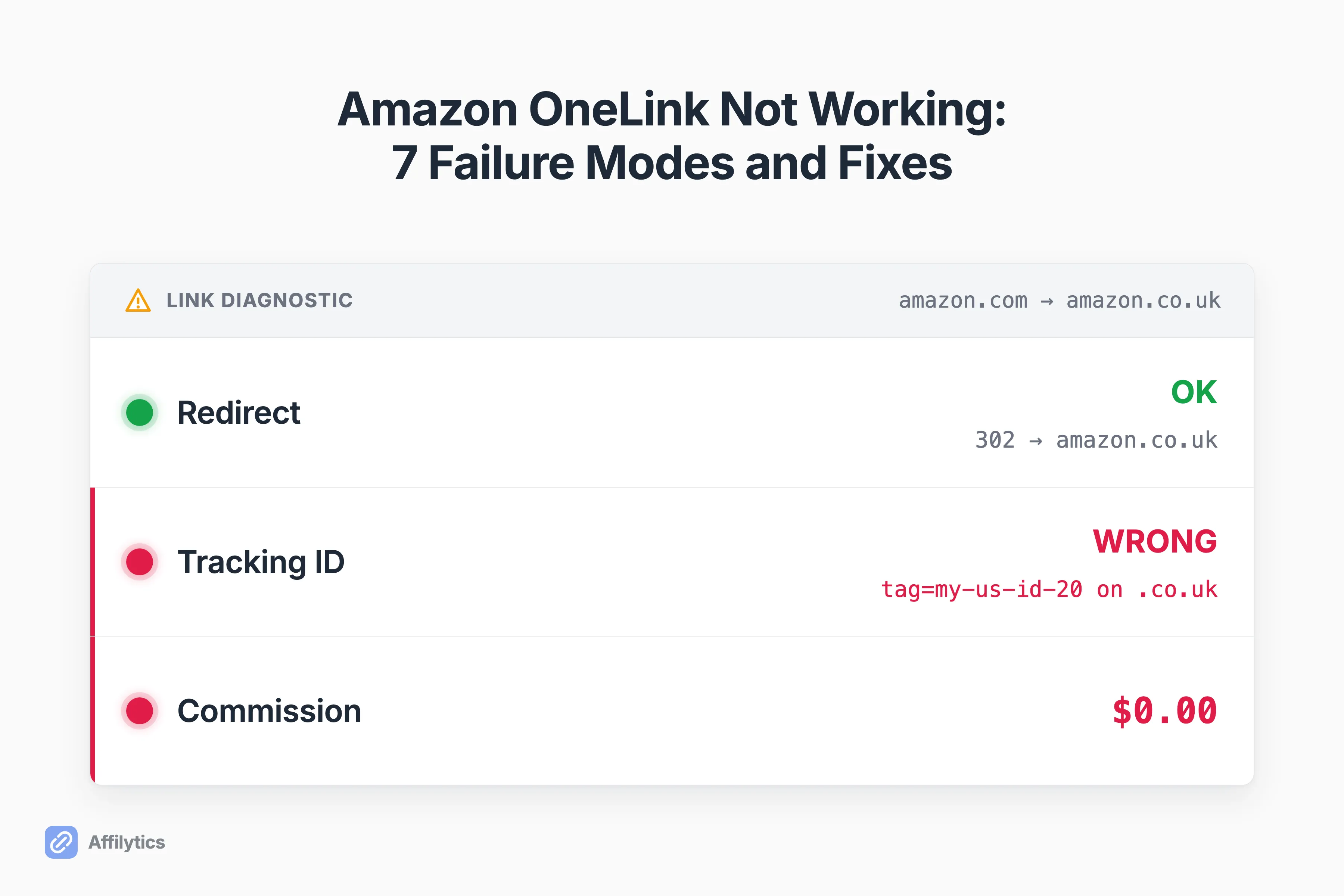
Your Amazon OneLink redirects international visitors to their local store just fine, but the commission still reads zero. Or every link somehow funnels everyone to the same storefront. When Amazon OneLink is not working, it usually breaks in a quiet, specific way, not a loud 404.
We built Affilytics to send affiliate clicks to the right regional store and to watch each link for the moment it quietly stops earning, so these silent failures are what we stare at all day.
Before you fix it, it helps to know what OneLink actually does, so I’ll keep that part short and get straight to the failures.
This guide walks the seven most common ways OneLink breaks, with the real cause and a concrete fix for each, how to verify it’s actually working, and the one failure OneLink can never fix on its own.
What Amazon OneLink Actually Does (and Doesn’t)
Section titled “What Amazon OneLink Actually Does (and Doesn’t)”OneLink is Amazon’s free, official geo-redirector. When someone in another country clicks your amazon.com link, OneLink sends them to their local Amazon store so they can buy in their own currency with their own account. That’s the whole job.
OneLink and all its features are free, included with your Associates membership. It covers a set list of Amazon stores: Canada, the UK, Spain, Germany, France, and Italy, plus Japan, Singapore, the Netherlands, Saudi Arabia, Poland, Sweden, and Australia.
Here’s what it is not:
- No monitoring. Nothing tells you when a working link stops earning.
- No analytics beyond what Associates Central already shows you.
- Amazon only. It can’t touch a Walmart, Target, or Shopify link.
That last part matters. Every failure below is a version of OneLink doing its one job, geo-redirection, and nothing else.
First, Rule Out the Causes That Aren’t OneLink’s Fault
Section titled “First, Rule Out the Causes That Aren’t OneLink’s Fault”Before you blame OneLink, rule out the boring stuff that would break any Amazon link:
- The product got pulled or went out of stock. A dead product page earns nothing, no matter how it’s linked.
- The click cookie expired. The Amazon Associates click window only lasts 24 hours, so a shopper who clicks today and orders next week won’t count.
- Your account is too new. A fresh Associates account that hasn’t logged a qualifying sale yet won’t show earnings.
Those are generic problems, and I cover them in the usual Amazon affiliate link problems. If none of them apply, you’re looking at one of these seven OneLink-specific failures.
The 7 Most Common OneLink Failure Modes (and How to Fix Each)
Section titled “The 7 Most Common OneLink Failure Modes (and How to Fix Each)”Here’s where it gets OneLink-specific. Each failure follows the same shape: what you see, why it happens, and how to fix it.
It Redirects, but You’re Still Earning Zero Internationally
Section titled “It Redirects, but You’re Still Earning Zero Internationally”The redirect works, the money doesn’t. One creator on r/Affiliatemarketing described it exactly: “the redirected amazon.co.uk link still contains my original US ID (my-us-id-20). This makes it useless for earning UK commissions.”
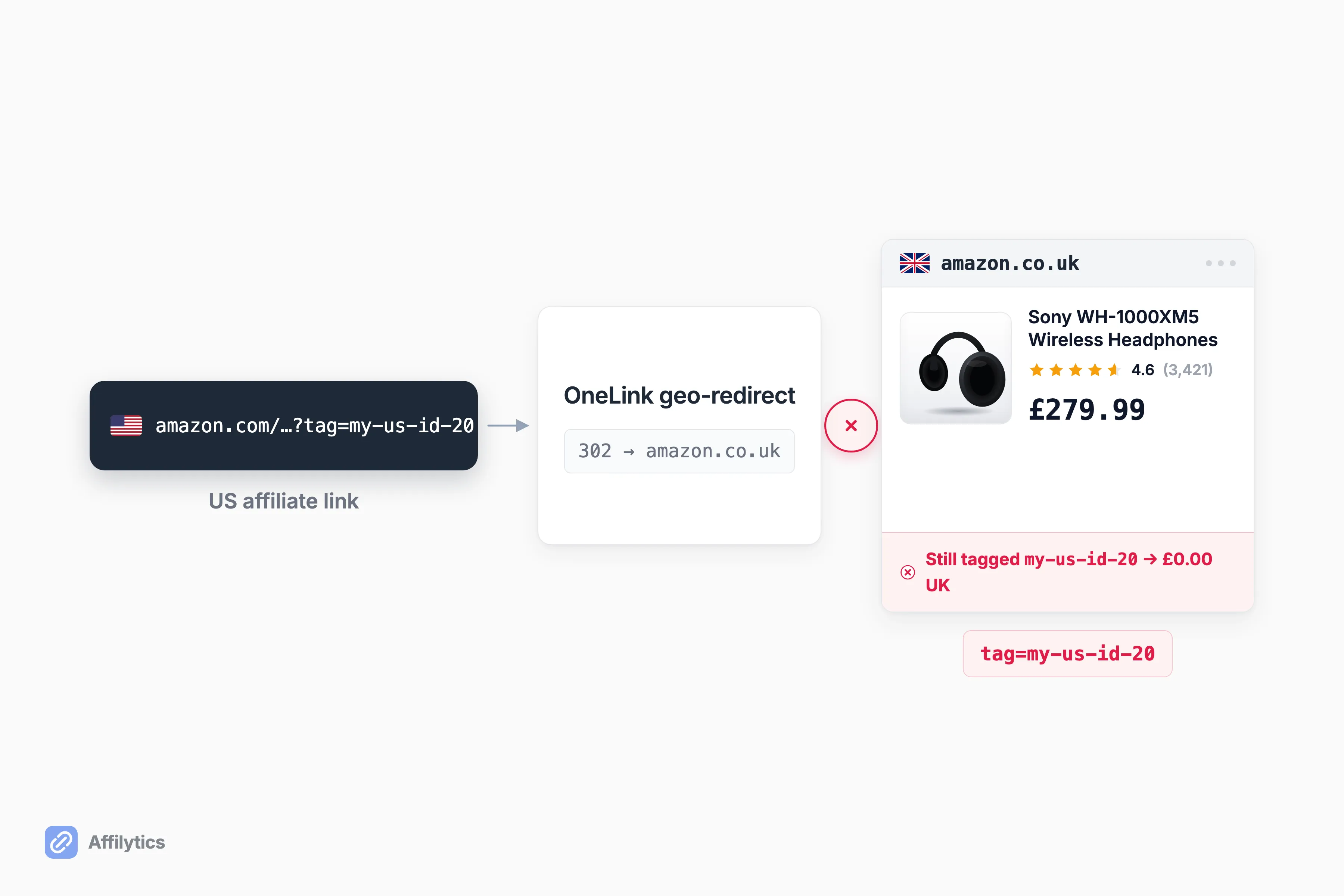
Here’s the part most guides get wrong. With Amazon’s simplified global (US) store, one US tracking ID legitimately earns across Canada, the UK, and the EU5. So a redirected link still showing your US ID is often correct, not a bug: the global US store credits one ID across CA, UK, and the EU5. The real failures are narrower. Either you created separate country stores but never finished linking every account, or you hit the “Linked accounts not found” error that blocks the Check Matching Products tool.
So which one is it? Work through this:
- Confirm your setup. On the global US store, your US ID is fine. On separate country stores, each one needs its own linked ID.
- Finish account linking in both Associates Central and OneLink.
- Clear the “Linked accounts not found” error before you trust anything that tool shows you.
This swap is exactly what our attribution tracking watches for. It follows the redirect chain and flags the moment a tag gets stripped or replaced with the wrong one. If you want the plumbing behind it, here’s how geo-routing affiliate links work.
Every Visitor Lands on the Same Store
Section titled “Every Visitor Lands on the Same Store”All your links send everyone to one storefront, no matter where they’re clicking from. One creator hit this and summed up the mood: “all links seem to revert to the UK Amazon site … Pulling my hair out here!”
The cause is almost always the snippet. The home marketplace gets hardcoded into the onejs script, and in that creator’s case the script carried MarketPlace=GB, so every visitor on earth got sent to Amazon.co.uk. The other version of this is pasting a single-country snippet instead of the actual OneLink script.
Fix it at the source:
- Grab the correct OneLink snippet from Associates Central for your home store.
- Check that the
MarketPlace=value matches your actual home marketplace. - Don’t hand-edit the script.
If the redirect step itself feels fuzzy, here’s how the redirect decides which store a visitor sees.
It Won’t Redirect at All (or Says “Switch Your Location”)
Section titled “It Won’t Redirect at All (or Says “Switch Your Location”)”The link just sits on amazon.com, or Amazon tells the visitor to switch stores. One creator testing a German redirect kept getting the same wall: “Every time I test it, it tells me that I need to switch my location the Amazon de to see the product.”
There are three usual suspects here. The script isn’t firing on the page. You’re testing while logged into your own Amazon account, which behaves differently. Or the exact product simply isn’t sold on the visitor’s local store.
Run through them in order:
- Test logged out, in an incognito window, ideally with a VPN set to the target country.
- Confirm the snippet actually loads on the page.
- Expect a “no match” when the exact product isn’t on the local store. That’s the redirection control’s job, and I get to it in failure six.
The OneLink Snippet Won’t Work on Your Site
Section titled “The OneLink Snippet Won’t Work on Your Site”You pasted the code, and nothing localizes. A creator on the Wix forum lived this one: support “could see it working from their side. But … my friend who lives in the UK … it’s still not working.” Neither Amazon nor the site builder wanted to own the fix.
The cause is placement. Either the snippet sits in the wrong spot, or your site builder strips or defers scripts so they never run.
Amazon’s instruction is to place the script right before the closing </body> tag. On a hosted builder like Wix or Squarespace, that means the custom-code or footer slot, and then you confirm it loaded by viewing the page source. The exact menu path differs by platform, but the rule is the same everywhere. The script has to load, and it has to load before that closing tag.
You Shortened the Link First, So OneLink Ignores It
Section titled “You Shortened the Link First, So OneLink Ignores It”You wrapped your Amazon link in Bitly or another shortener, and now it won’t geo-redirect or tag. This one has a clean, official answer.
Amazon is blunt about it: “Shortened links created by third-party link shorteners are currently not supported and will not be redirected.”
So flip the order:
- Apply OneLink to the raw Amazon URL first.
- Shorten it after, never before.
- Or use a smart-link tool that does its geo-routing on its own domain, so shortening and routing don’t fight each other.
The Wrong Redirection Setting Is Sending Visitors to the Wrong Product
Section titled “The Wrong Redirection Setting Is Sending Visitors to the Wrong Product”Visitors land on a search page, the store home, or a different product instead of the item you actually linked. This is a settings problem, not a bug.
OneLink gives you three redirection controls: “Exact match”, “Close match”, and “Do not redirect”. The default is close match, and here’s the catch that trips people up, the setting is per tracking ID. Change it for one ID and every other ID keeps its old behavior.
Set it deliberately:
- Choose “Close match” so a near-equivalent product shows when the exact one isn’t on the local store.
- Apply it to every tracking ID, not just the first one you touched.
- Preview with “Check Matching Products” before you trust it.
Your Visitor’s Country Isn’t Covered
Section titled “Your Visitor’s Country Isn’t Covered”Some of your visitors never get redirected and simply can’t buy through your link. You did nothing wrong. Their country just isn’t on the list.
OneLink covers a fixed set of stores, and several big markets are missing. It does not cover Mexico, Brazil, India, China, Türkiye, or the UAE, even though Amazon runs Associates programs in all of them. A visitor in São Paulo clicking your amazon.com link is stuck.
You have two honest options. Accept the gap. Or route those countries with a tool that isn’t boxed into Amazon’s OneLink marketplace list. I go deeper on the trade-offs in OneLink alternatives worth a look.
How to Actually Verify OneLink Is Working
Section titled “How to Actually Verify OneLink Is Working”The genuinely frustrating part is that OneLink gives you no confirmation. There’s no green checkmark, no “you’re all set” screen. Creators end up crowdsourcing “does this look normal?” and asking friends in other countries to click a link and report back.
So how do you check it yourself, without a friend in every timezone?
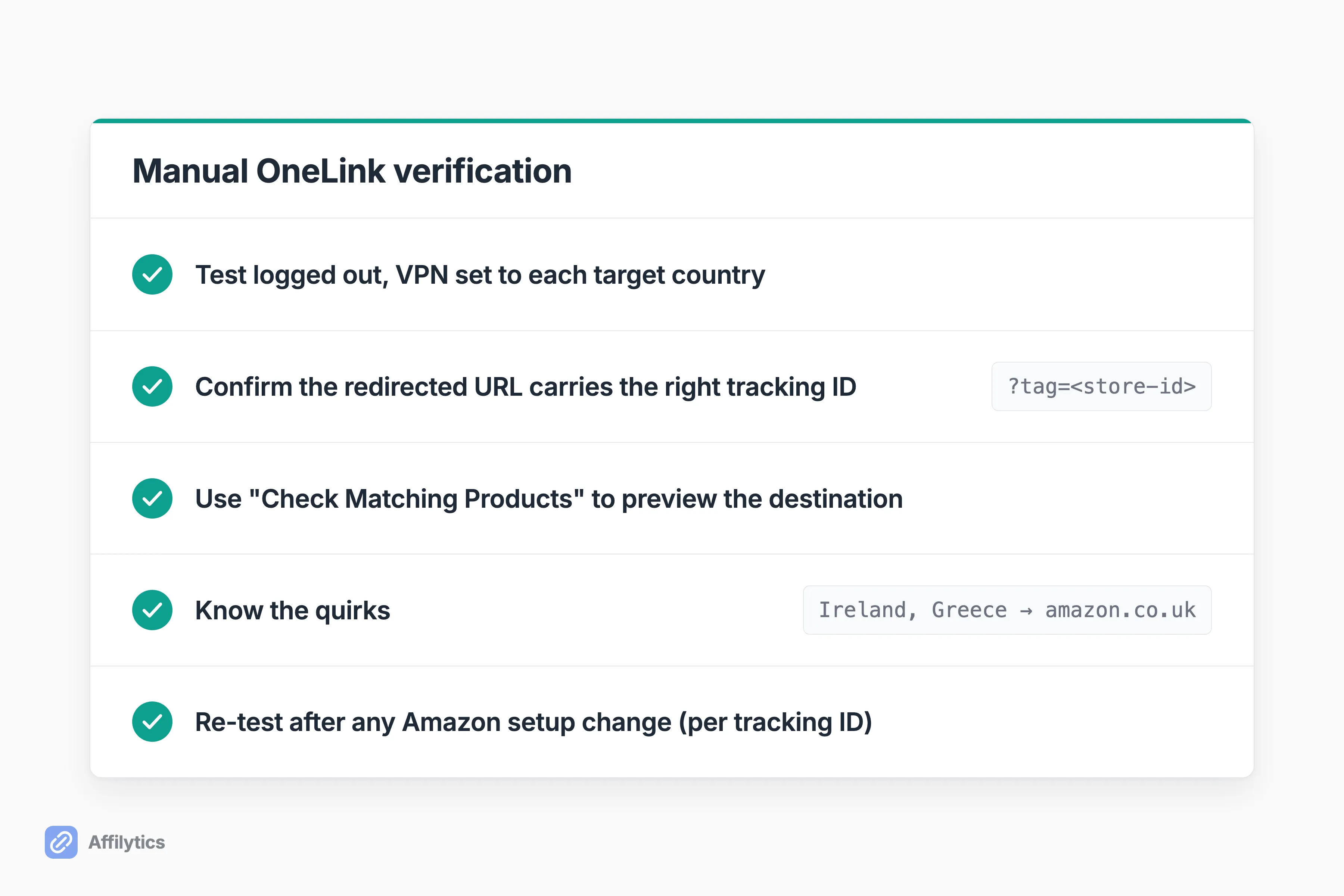
- Test logged out, with a VPN set to each target country.
- Confirm the redirected URL carries the right tracking ID for that store, not your home one.
- Use “Check Matching Products” to preview where a given link will send people.
- Know the quirks. Visitors in places like Ireland and Greece route to Amazon.co.uk, so a co.uk landing isn’t always a mistake.
- Re-test after any Amazon setup change, because a change to one tracking ID doesn’t touch the others.
Do this once per target country and you’ve got real answers instead of hope.
The One Failure OneLink Can’t Fix: It Never Tells You When It Breaks
Section titled “The One Failure OneLink Can’t Fix: It Never Tells You When It Breaks”Notice something about every failure above. You only found it by luck, or because someone in another country happened to test a link for you. Nothing inside OneLink raised its hand.
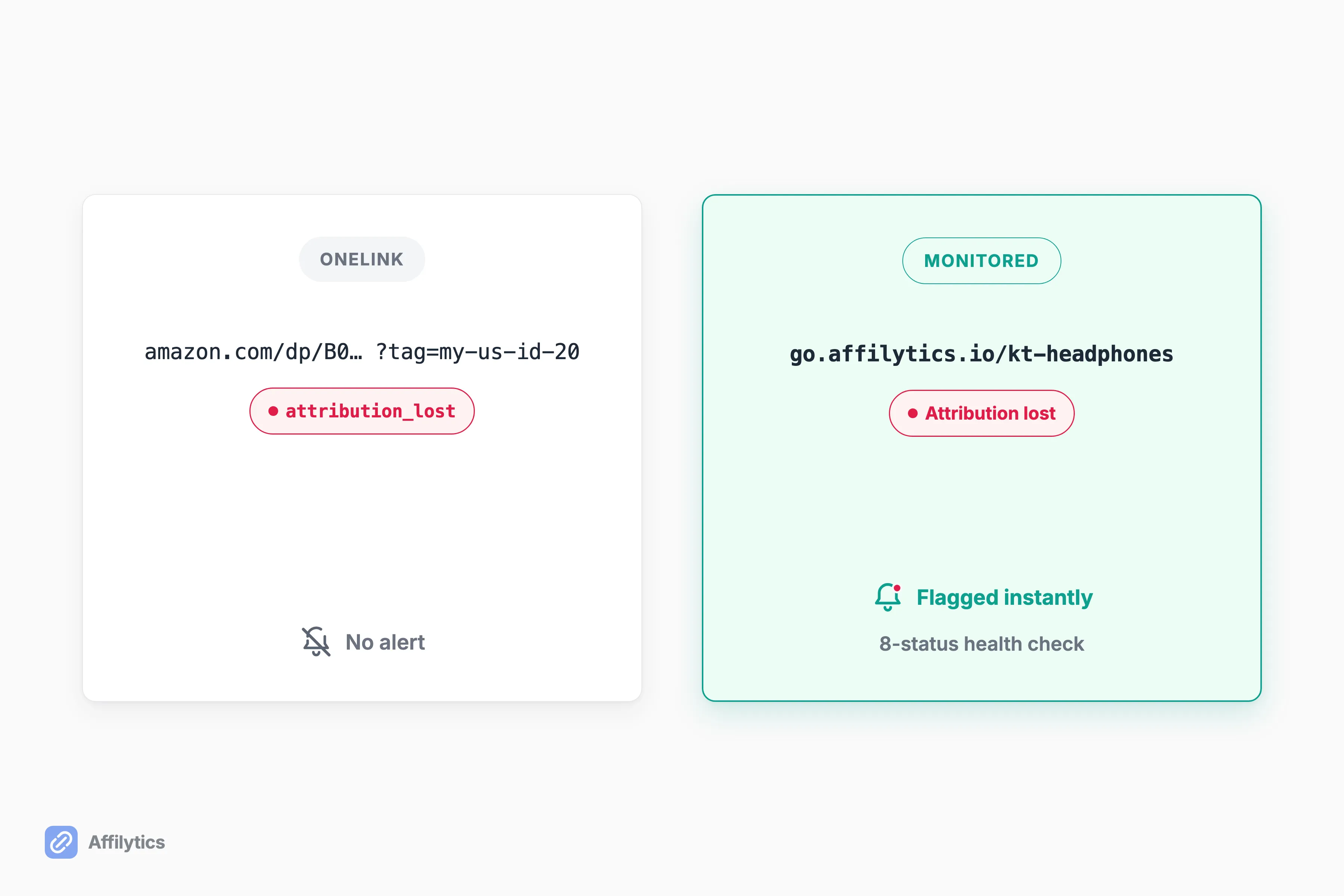
That’s the real limit. When a working link silently stops earning, because a product’s SKU changed, a storefront moved, or the tag quietly dropped, OneLink gives you no signal at all. One creator’s own advice says it well: “review your links quarterly. Amazon sometimes changes SKUs or storefronts and even working links stop converting.”
This is where a smart-link tool earns its keep. Affilytics geo-routes each click to the right regional store, then watches the destination. It flags broken or attribution-lost links the moment a check catches the change, across an eight-status health signal. So “quarterly, by hand” becomes automatic. It also routes to non-Amazon stores, which OneLink can’t do at all.
And if your traffic is basically all one country? Free OneLink is genuinely enough. One creator whose traffic is almost entirely US made the fair point that extra routing tools have little to offer when almost nobody is crossing a border. Don’t over-tool a problem you don’t have.
Fix the Blind Spot You Can’t See
Section titled “Fix the Blind Spot You Can’t See”If OneLink’s blind spots are quietly costing you international commission you can’t even see, it’s worth routing and monitoring every link in one place instead of testing by hand.
Create your free Affilytics account and get two full weeks of everything unlocked, no credit card required.
Why does my Amazon OneLink redirect but I’m still not earning commission?
Section titled “Why does my Amazon OneLink redirect but I’m still not earning commission?”Usually it’s the tracking ID. With Amazon’s simplified global US store, one US ID legitimately earns across Canada, the UK, and the EU5, so a redirected link that still shows your US ID is often correct, not a bug. The real problems are unfinished account linking or the “Linked accounts not found” error. Check that the right tracking ID sits on the redirected URL for that store.
Why do all my OneLink links go to the same Amazon store?
Section titled “Why do all my OneLink links go to the same Amazon store?”The home marketplace is almost certainly hardcoded in your snippet. A value like MarketPlace=GB sends everyone to Amazon.co.uk regardless of their country. Replace it with the correct OneLink script from Associates Central for your actual home store, and don’t hand-edit the code.
How do I know if Amazon OneLink is working?
Section titled “How do I know if Amazon OneLink is working?”There’s no in-product confirmation, so you have to test it yourself. Open your link logged out with a VPN set to each target country, confirm the redirected URL carries the right tracking ID for that store, and use Check Matching Products to preview where visitors get sent. Re-test after any setup change.
Is Amazon OneLink free, and is it enough on its own?
Section titled “Is Amazon OneLink free, and is it enough on its own?”Yes, it’s free and official, included with Amazon Associates. If your audience is mostly one country, it’s genuinely all you need. Its limits are that it only geo-redirects Amazon links and never alerts you when one silently stops earning.